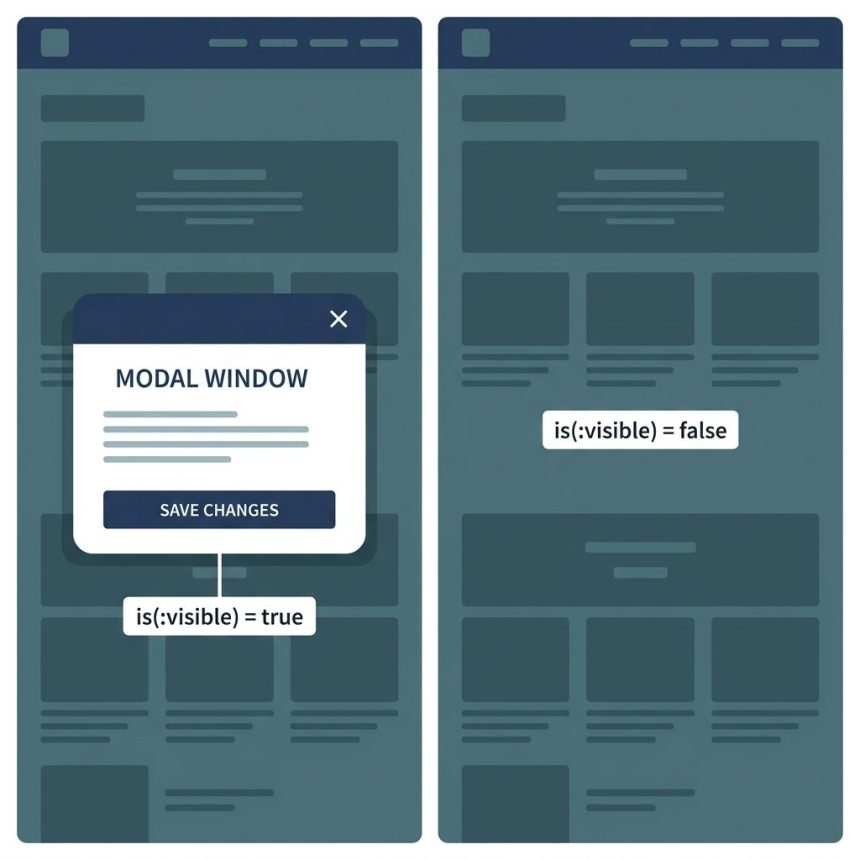
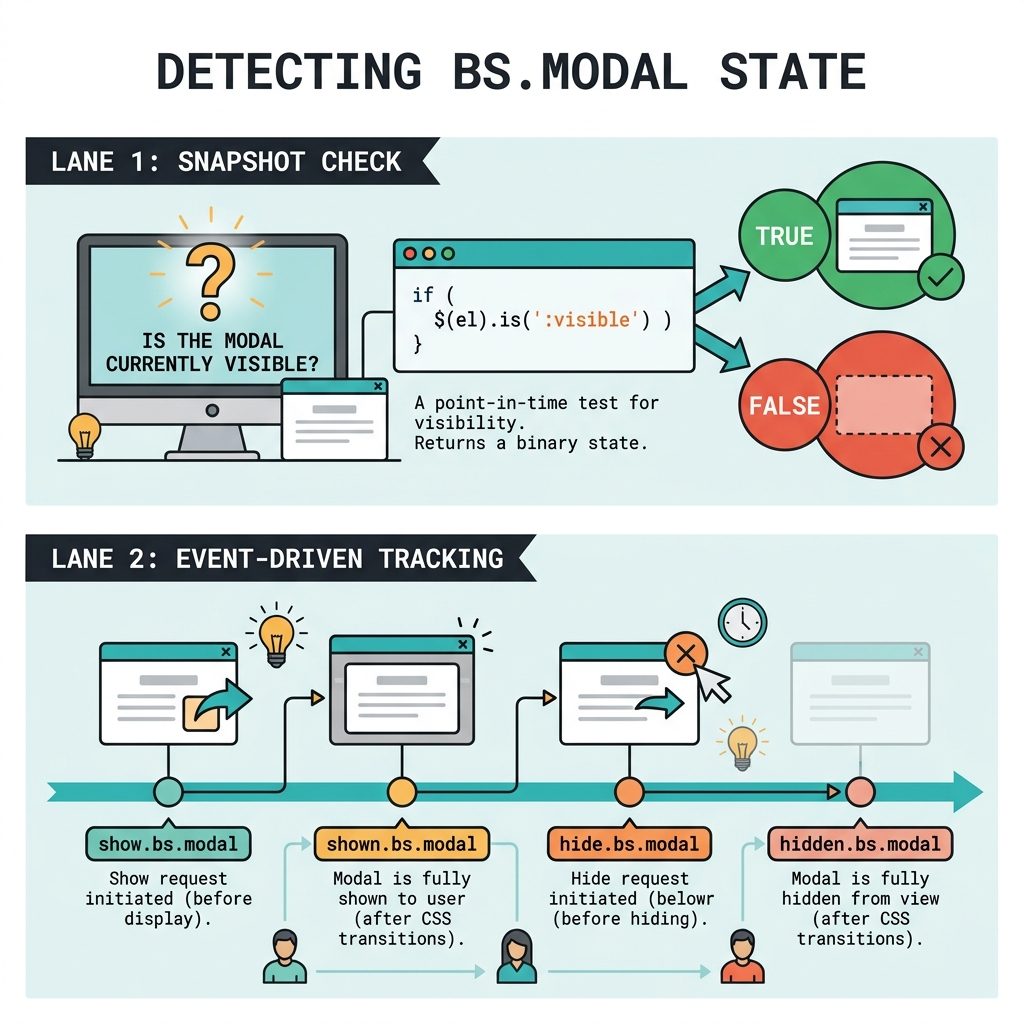
To check if a Bootstrap modal is open or closed with jQuery, use $('#myModal').is(':visible') — returns true when the modal is showing, false when hidden. For event-driven logic (running code when the modal opens), use the show.bs.modal and hidden.bs.modal events instead.
Last verified: 2026-05-17 with Bootstrap 5.3 and jQuery 3.7. Originally published 2022-08-23, rewritten and updated 2026-05-17.
TL;DR
// Snapshot check — is it open right now?
if ($('#myModal').is(':visible')) {
  console.log('Modal is open');
}

// Event-driven — run code when the modal opens
$('#myModal').on('show.bs.modal', function (e) {
  console.log('Modal is opening');
  // generate content, fetch data, etc.
});

// Useful Bootstrap modal events
// show.bs.modal     -- before fade-in starts
// shown.bs.modal    -- after fade-in completes
// hide.bs.modal     -- before fade-out starts
// hidden.bs.modal   -- after fade-out completes
Snapshot check with :visible
if ($('#myModal').is(':visible')) {
  // Modal is currently showing
} else {
  // Modal is hidden
}
jQuery’s :visible selector checks the actual rendered state — width, height, and display aren’t zero/none. For Bootstrap modals (which toggle display: block when open) it always returns the correct value.
Event-driven: react when the modal opens
$('#myModal').on('show.bs.modal', function (e) {
  // Fired BEFORE the modal animates in.
  // Good place to inject content that should appear with the fade.
  const trigger = e.relatedTarget;          // the button that opened it
  const userId  = $(trigger).data('user-id');

  $(this).find('.modal-title').text('User #' + userId);
});

$('#myModal').on('shown.bs.modal', function () {
  // Fired AFTER the fade-in completes.
  // Good place for autofocus or measurements.
  $(this).find('input[name="username"]').trigger('focus');
});

$('#myModal').on('hidden.bs.modal', function () {
  // Fired AFTER the modal is fully closed.
  // Good place to reset form state.
  $(this).find('form')[0].reset();
});
Programmatic open / close
// jQuery API (Bootstrap 4 and 5 both support this)
$('#myModal').modal('show');
$('#myModal').modal('hide');
$('#myModal').modal('toggle');

// Bootstrap 5 native (no jQuery)
const modal = bootstrap.Modal.getOrCreateInstance('#myModal');
modal.show();
modal.hide();
Frequently asked questions
$('#myModal').is(':visible') reliable on Bootstrap 5? Yes — Bootstrap 5 still toggles a CSS class (show) and changes display on the modal element, so :visible works. An equivalent check that doesn’t depend on jQuery is document.getElementById('myModal').classList.contains('show'), which reads the actual Bootstrap state class directly.
show.bs.modal instead of clicking-the-trigger handlers? Because the modal can be opened in multiple ways — from a button, from JS calling .modal('show'), from another modal closing and yours auto-opening. show.bs.modal fires regardless of how the modal opened, so a single event handler covers every case. Button click handlers only cover the button case.
show.bs.modal and shown.bs.modal? show.bs.modal fires when the show starts — before CSS transitions run. The modal is in the DOM but the fade-in animation hasn’t completed. shown.bs.modal fires after the transition is done — the modal is fully visible and interactive. Use show to inject content that’s part of the open animation; use shown for focus management or measurements that need the final size.
Yes — $('#myModal').modal('show') and $('#myModal').modal('hide'). 'toggle' flips whichever state you’re in. These work the same on Bootstrap 4 and 5 when jQuery is loaded; Bootstrap 5 also exposes a jQuery-free API: const m = bootstrap.Modal.getInstance('#myModal'); m.show().
Related guides
- How to Check if an Element Is Hidden in jQuery
- How to Check if a Checkbox Is Checked with jQuery
- How to Add the Required Attribute to Input Fields with jQuery
References
Bootstrap 5 modal events: getbootstrap.com/docs/5.3/components/modal/#events.