How7o
  • Home
  • Tools
  • Prank Screens
  • Learn
  • Blog
  • Contact
Reading: How to Format a Number with Leading Zeros in PHP
Share
How7oHow7o
Font ResizerAa
  • OS
Search
  • Home
  • Tools
  • Prank Screens
  • Learn
  • Blog
  • Contact
Follow US
© 2024–2026 How7o. All rights reserved.
How7o > Free Laravel, PHP, WordPress & Server Tutorials > Web Development > How to Format a Number with Leading Zeros in PHP
Web Development

How to Format a Number with Leading Zeros in PHP

how7o
By how7o
Last updated: May 22, 2026
4 Min Read
Format a PHP number with leading zeros — sprintf and str_pad
SHARE

To format a number with leading zeros in PHP, use sprintf('%04d', $n) for a fixed-width format string, or str_pad($n, 4, '0', STR_PAD_LEFT) for a more explicit pad call. Both turn 1 into '0001' and leave longer numbers untouched.

Contents
  • Option 1 — sprintf()
  • Option 2 — str_pad()
  • Numbers longer than the pad width
  • Common widths
  • Frequently asked questions
  • Related guides
  • References

Last verified: 2026-05-17 on PHP 8.3. Originally published 2022-07-18, rewritten and updated 2026-05-17.

Option 1 — sprintf()

$number = 1;
echo sprintf('%04d', $number);
// 0001

The %04d format reads as: % = start of placeholder, 0 = pad with zeros, 4 = minimum width, d = integer. Swap 4 for any width.
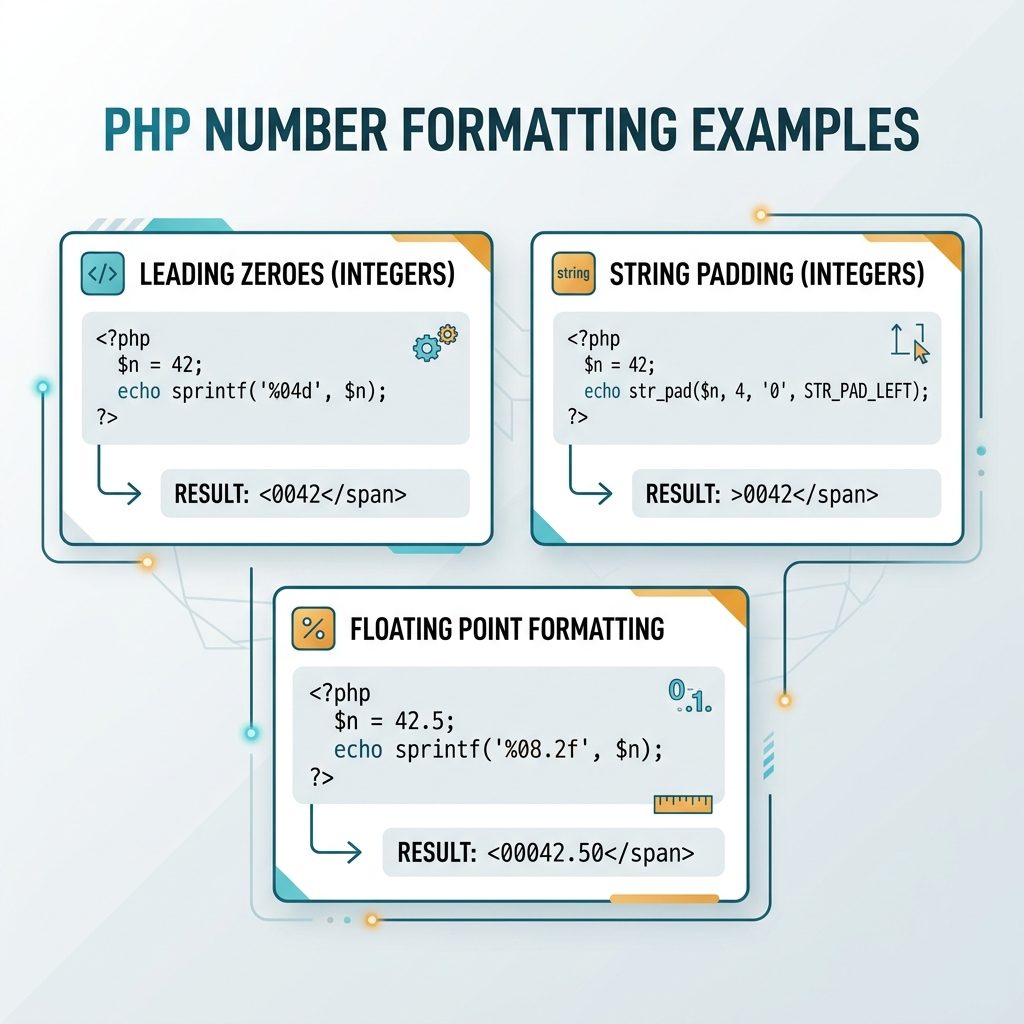
PHP leading zeros — sprintf %04d, str_pad STR_PAD_LEFT, float width with decimal

Option 2 — str_pad()

$number = 1;
echo str_pad($number, 4, '0', STR_PAD_LEFT);
// 0001

str_pad() takes the value, the total width, the pad character, and the side. Reads as plain English — useful when you’ll come back to the code months later and want to skip decoding a format string.

Numbers longer than the pad width

echo sprintf('%04d', 12345);
// 12345  (no truncation — minimum width, not maximum)

echo str_pad('12345', 4, '0', STR_PAD_LEFT);
// 12345  (same behavior)

Both functions only add padding when needed — they don’t trim. This is the right behavior for ID-like fields: pad short ones for display, leave long ones intact.

Common widths

sprintf('%02d', 5);   // 05
sprintf('%03d', 7);   // 007
sprintf('%04d', 42);  // 0042
sprintf('%06d', 99);  // 000099

// Two-digit month + day for an ISO-like date piece
$y = 2026; $m = 5; $d = 7;
echo sprintf('%04d-%02d-%02d', $y, $m, $d);
// 2026-05-07

Frequently asked questions

Should I use sprintf() or str_pad()?

Either is fine. sprintf('%04d', $n) is more concise once you’re used to printf-style format strings; str_pad($n, 4, '0', STR_PAD_LEFT) reads more naturally and is easier to scan for someone who doesn’t know the %04d syntax. Performance difference is negligible — pick by readability.

What happens if the number is longer than the pad width?

Both functions leave longer numbers untouched. sprintf('%04d', 12345) returns '12345' (no truncation), and str_pad('12345', 4, '0', STR_PAD_LEFT) also returns '12345'. That’s usually what you want for invoice numbers and IDs: pad short ones, leave long ones alone.

Why does printf('%04d', -1) show -001 not 00-1?

%d treats the value as a signed integer, so the minus sign comes first and counts toward the width. If you specifically want zero-padding before a sign (rare), sprintf('%+05d', $n) adds an explicit +/- and pads the digits after it. For unsigned numeric IDs this doesn’t come up — the value never goes negative.

Does this work for floats and decimals?

Yes — sprintf('%08.2f', 1.5) returns '00001.50' (total width 8 including the decimal point). The width counts every character, so plan for the dot and the fractional digits. str_pad() works on the string form too, but you have to format the number first: str_pad(number_format($n, 2, '.', ''), 8, '0', STR_PAD_LEFT).

Related guides

  • How to Add a Number of Days to a Date in PHP
  • How to Format a Number Bangladeshi-Style with Commas in PHP
  • How to Display PHP Errors

References

PHP sprintf(): php.net/manual/en/function.sprintf.php. PHP str_pad(): php.net/manual/en/function.str-pad.php.

TAGGED:formattingphpstrings

Sign Up For Daily Newsletter

Be keep up! Get the latest breaking news delivered straight to your inbox.
[mc4wp_form]
By signing up, you agree to our Terms of Use and acknowledge the data practices in our Privacy Policy. You may unsubscribe at any time.
Share This Article
Facebook Copy Link Print
Previous Article Reduce high memory usage on Windows 11 How to Reduce High Memory Usage on Windows 11
Next Article Get a favicon URL with JavaScript How to Get a Website’s Favicon URL with JavaScript
Leave a Comment

Leave a Reply Cancel reply

You must be logged in to post a comment.

FacebookLike
XFollow
PinterestPin
InstagramFollow
Most Popular
Laravel Eloquent ORM — a model class mapping to a database table with query methods
Laravel Eloquent ORM: The Complete Guide to Querying Your Database
June 16, 2026
Set vi as the default editor in Ubuntu — a terminal opening the vim editor
How to Set vi (Vim) as the Default Editor in Ubuntu
June 8, 2026
rsync says ALL DONE but files are missing — a terminal showing ALL DONE next to an empty folder
rsync Says “ALL DONE” but Files Are Missing: How to Verify
June 8, 2026
Migrate a website to a new server with rsync — files copying from an old server to a new one over SSH
How to Migrate a Website to a New Server With rsync
June 8, 2026
Bun runtime — faster JS toolkit replacing npm in Laravel projects
How to Install Bun Runtime on Ubuntu (And Use It in a Laravel Project)
May 24, 2026

You Might Also Like

Laravel global variable for views — View::share in AppServiceProvider and View::composer wildcard patterns
Web Development

How to Set a Global Variable for Laravel Views

7 Min Read
DataTables default sort order — order: [[1, 'desc']] config
Web Development

How to Change the Default Sort Order in DataTables

4 Min Read
Laravel left outer join — query builder leftJoin illustration with two tables
Web Development

How to Do a Left Outer Join in Laravel Query Builder

8 Min Read
Dynamically set site title and tagline in WordPress by country
Web Development

How to Dynamically Set Site Title and Tagline in WordPress (By Country)

6 Min Read
How7o

We provide tips, tricks, and advice for improving websites and doing better search.

Tools

  • Age Calculator
  • Word Counter
  • Image Upscaler
  • Password Generator
  • QR Code Generator
  • See all tools→

Pranks

  • Fake Blue Screen Prank
  • Hacker Typer
  • Fake iMessage Generator
  • Windows XP Crash Prank
  • Windows 11 Update Prank
  • See all prank screens →

Company

  • About Us
  • Blog
  • Contact
  • Privacy Policy
  • Terms of Service
  • Sitemap
© 2024–2026 How7o. All rights reserved.
Welcome Back!

Sign in to your account

Username or Email Address
Password

Lost your password?