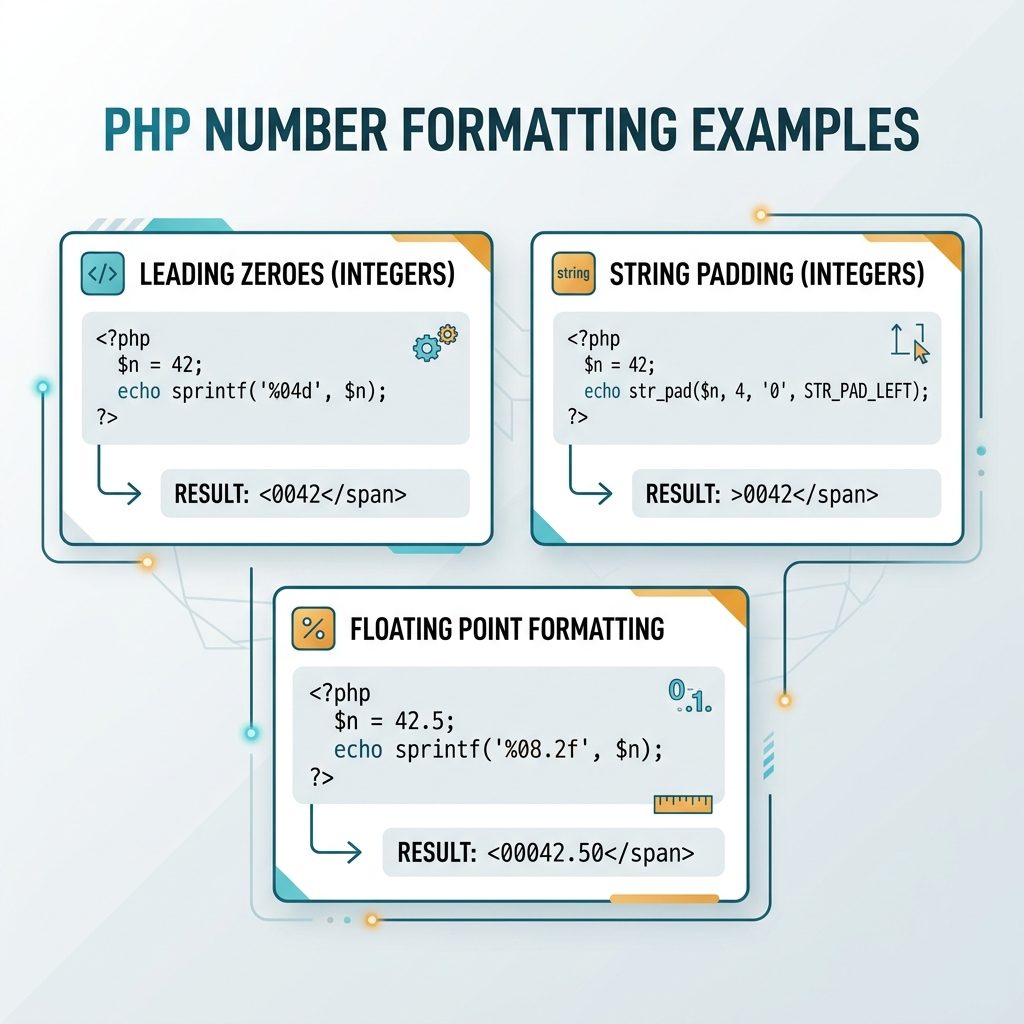
To format a number with leading zeros in PHP, use sprintf('%04d', $n) for a fixed-width format string, or str_pad($n, 4, '0', STR_PAD_LEFT) for a more explicit pad call. Both turn 1 into '0001' and leave longer numbers untouched.
Last verified: 2026-05-17 on PHP 8.3. Originally published 2022-07-18, rewritten and updated 2026-05-17.
Option 1 — sprintf()
$number = 1;
echo sprintf('%04d', $number);
// 0001
The %04d format reads as: % = start of placeholder, 0 = pad with zeros, 4 = minimum width, d = integer. Swap 4 for any width.
Option 2 — str_pad()
$number = 1;
echo str_pad($number, 4, '0', STR_PAD_LEFT);
// 0001
str_pad() takes the value, the total width, the pad character, and the side. Reads as plain English — useful when you’ll come back to the code months later and want to skip decoding a format string.
Numbers longer than the pad width
echo sprintf('%04d', 12345);
// 12345  (no truncation — minimum width, not maximum)

echo str_pad('12345', 4, '0', STR_PAD_LEFT);
// 12345  (same behavior)
Both functions only add padding when needed — they don’t trim. This is the right behavior for ID-like fields: pad short ones for display, leave long ones intact.
Common widths
sprintf('%02d', 5);   // 05
sprintf('%03d', 7);   // 007
sprintf('%04d', 42);  // 0042
sprintf('%06d', 99);  // 000099

// Two-digit month + day for an ISO-like date piece
$y = 2026; $m = 5; $d = 7;
echo sprintf('%04d-%02d-%02d', $y, $m, $d);
// 2026-05-07
Frequently asked questions
sprintf() or str_pad()? Either is fine. sprintf('%04d', $n) is more concise once you’re used to printf-style format strings; str_pad($n, 4, '0', STR_PAD_LEFT) reads more naturally and is easier to scan for someone who doesn’t know the %04d syntax. Performance difference is negligible — pick by readability.
Both functions leave longer numbers untouched. sprintf('%04d', 12345) returns '12345' (no truncation), and str_pad('12345', 4, '0', STR_PAD_LEFT) also returns '12345'. That’s usually what you want for invoice numbers and IDs: pad short ones, leave long ones alone.
printf('%04d', -1) show -001 not 00-1? %d treats the value as a signed integer, so the minus sign comes first and counts toward the width. If you specifically want zero-padding before a sign (rare), sprintf('%+05d', $n) adds an explicit +/- and pads the digits after it. For unsigned numeric IDs this doesn’t come up — the value never goes negative.
Yes — sprintf('%08.2f', 1.5) returns '00001.50' (total width 8 including the decimal point). The width counts every character, so plan for the dot and the fractional digits. str_pad() works on the string form too, but you have to format the number first: str_pad(number_format($n, 2, '.', ''), 8, '0', STR_PAD_LEFT).
Related guides
- How to Add a Number of Days to a Date in PHP
- How to Format a Number Bangladeshi-Style with Commas in PHP
- How to Display PHP Errors
References
PHP sprintf(): php.net/manual/en/function.sprintf.php. PHP str_pad(): php.net/manual/en/function.str-pad.php.