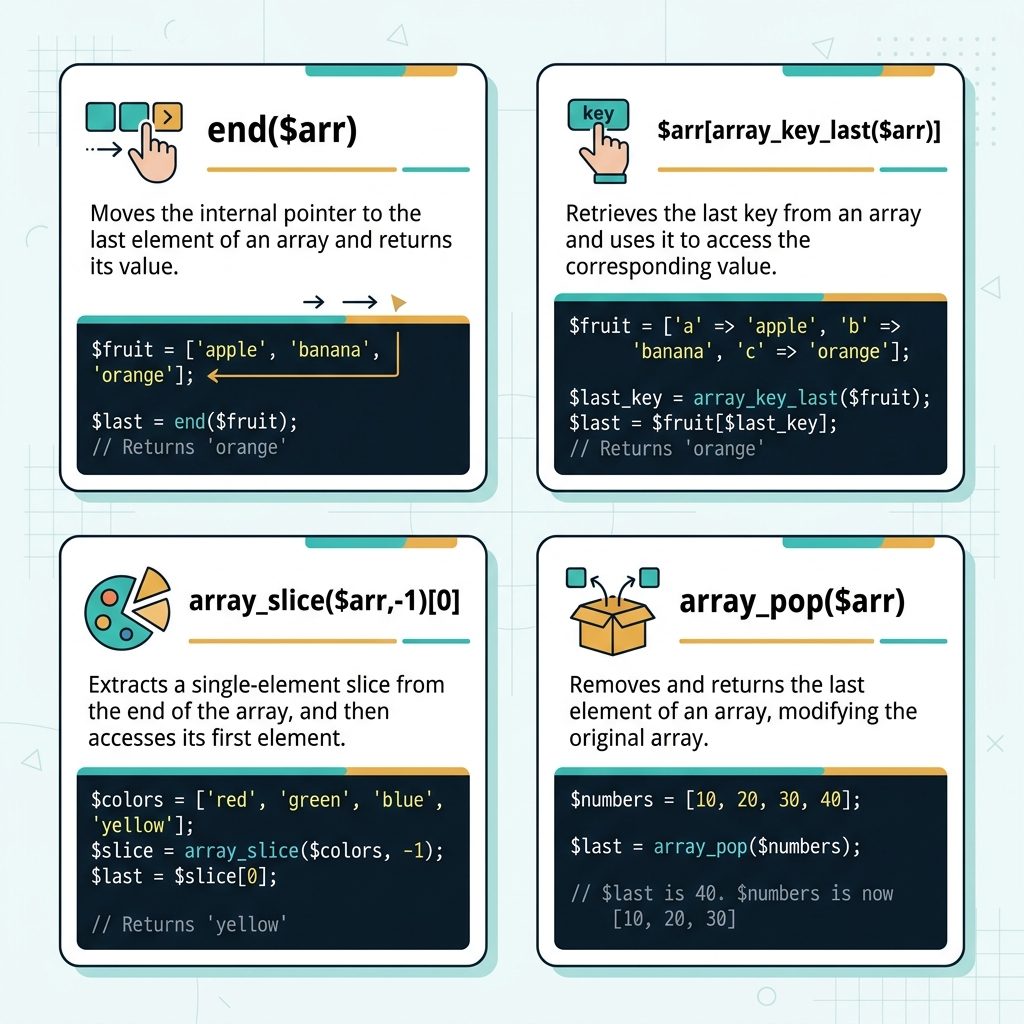
To get the last item from an array in PHP, use end($arr) for a quick read, or $arr[array_key_last($arr)] for a side-effect-free version (PHP 7.3+). For sequential numeric-keyed arrays, $arr[count($arr) - 1] also works.
Last verified: 2026-05-17 on PHP 8.3. Originally published 2024-02-27, rewritten and updated 2026-05-17.
The one-liner
$arr  = ['apple', 'banana', 'cherry'];
$last = end($arr);
// 'cherry'
end() moves the array’s internal pointer to the last element and returns its value. Works on any array shape (sequential, associative, gappy keys).
Without moving the internal pointer
// PHP 7.3+
$arr   = ['a' => 1, 'b' => 2, 'c' => 3];
$last  = $arr[array_key_last($arr)];
// 3

// Or, equivalent and cheap
$last  = array_slice($arr, -1)[0] ?? null;
// 3
array_key_last() returns the last key without touching the internal pointer, and bracket-lookup gives you the value. Use this when the array might also be iterated elsewhere — end() would leave that iteration in a confusing state.
Sequential numeric arrays
$arr  = [10, 20, 30, 40];
$last = $arr[count($arr) - 1];
// 40
Only works when the keys are 0, 1, 2, …, count−1. Breaks on associative arrays, and breaks after unset creates a gap. Reach for end() or array_key_last() instead — same speed, no shape assumption.
Get and remove in one call
$arr  = ['apple', 'banana', 'cherry'];
$last = array_pop($arr);
// $last = 'cherry'
// $arr  = ['apple', 'banana']
array_pop() mutates the array — use this when you want the last item and intend to remove it (stack-style processing). It’s not the right tool when you only want to read.
Empty-array safety
$arr  = [];

end($arr);                                   // false (no warning)
$arr[array_key_last($arr)] ?? null;          // null (array_key_last returns null)
array_slice($arr, -1)[0] ?? null;            // null
array_pop($arr);                             // null (and array stays [])
All four handle empty arrays without throwing. The return values differ — end() gives false (which looks like a found value of 0 or empty string until you compare with ===), while the others return null. Pick the one whose empty-case return type matches your downstream code.
Frequently asked questions
end() modify the original array? It moves the array’s internal pointer to the last element — it doesn’t remove or change any data, but it does affect the array’s iteration state. If you immediately follow with current() or reset() elsewhere, the pointer position can surprise you. For pure read access without side effects, array_key_last() + bracket lookup is cleaner.
$arr[count($arr) - 1] sometimes fail? It assumes the keys are sequential integers starting from 0. On associative arrays or arrays where keys have been deleted (creating gaps), count($arr) - 1 doesn’t correspond to a real key. $arr['last_inserted_at_index_5'] isn’t reachable as $arr[3] just because there are four items. end() or array_key_last() work on any array, sequential or not.
array_slice($arr, -1)[0]? Works correctly on every array shape and doesn’t move the internal pointer — but it creates an extra single-element array, which is slightly wasteful for a hot path. Fine for clarity; not the right call when you’re iterating thousands of times. Prefer end() or array_key_last() when performance matters.
array_pop($arr) returns and removes the last element in one call. Mutates the array. Useful when you want the last item exactly because you intend to consume it (e.g. stack-like processing).
Related guides
- How to Combine Two Arrays Without Duplicates in PHP
- How to Delete an Element from an Array in PHP
- How to Get the First Character of a String in PHP
References
PHP end(): php.net/manual/en/function.end.php. PHP array_key_last(): php.net/manual/en/function.array-key-last.php. PHP array_pop(): php.net/manual/en/function.array-pop.php.