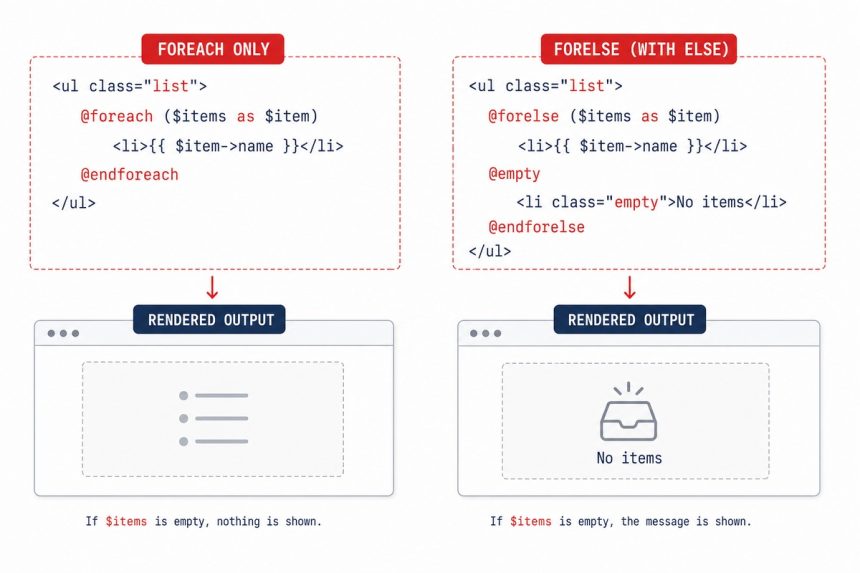
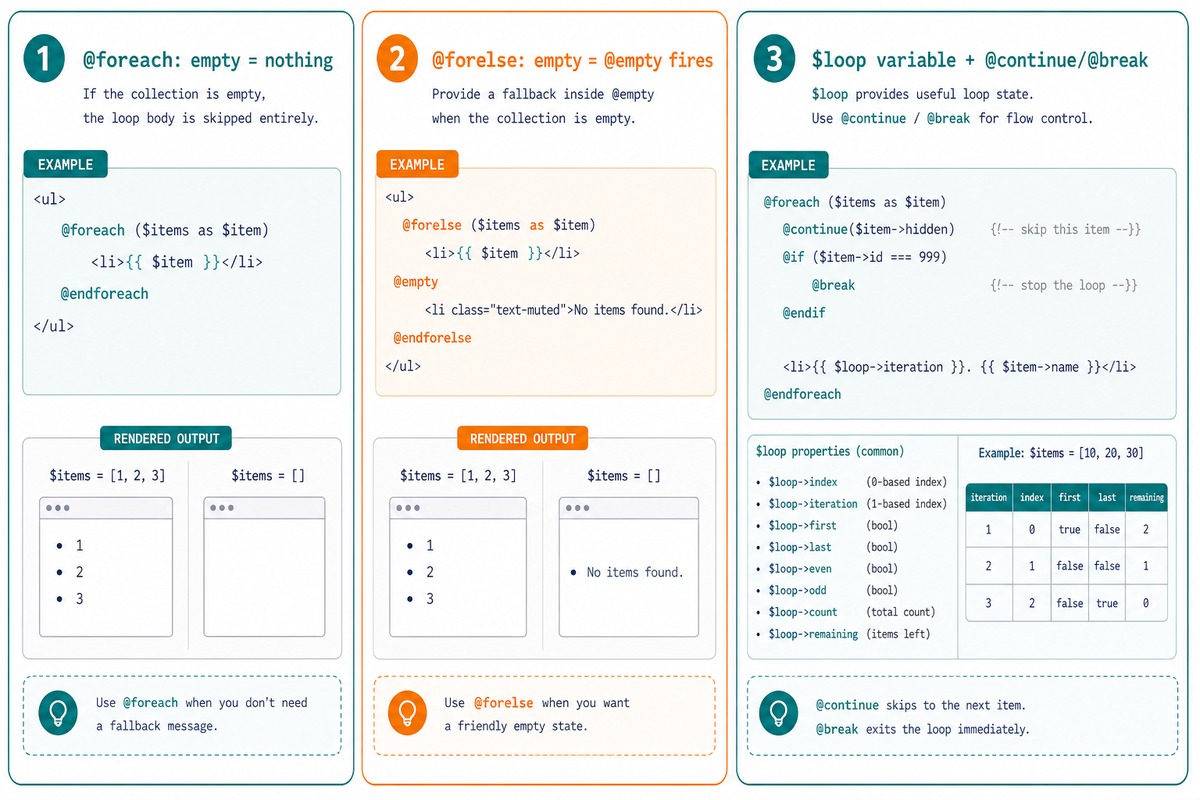
The difference between Blade’s @foreach and @forelse is what happens when the collection is empty. @foreach does nothing — the loop body simply doesn’t run. @forelse has an extra @empty branch that renders when the collection is empty, so you can show a “no items found” message in the same block.
Last verified: 2026-05-17 on Laravel 11. Originally published 2024-03-28, rewritten and updated 2026-05-17.
Side by side
{{-- @foreach — empty collection renders nothing --}}
@foreach ($items as $item)
    <li>{{ $item->name }}</li>
@endforeach

{{-- @forelse — empty collection renders the @empty branch --}}
@forelse ($items as $item)
    <li>{{ $item->name }}</li>
@empty
    <li class="muted">No items found.</li>
@endforelse
@forelse saves you an extra @if ($items->isEmpty()) wrapper for the empty case. Use it whenever the empty-state message is part of the same UI block.
When to use which
@foreachwhen an empty collection means “render nothing for this section” — e.g. a sidebar widget that disappears entirely when there’s no data.@forelsewhen an empty collection needs a visible “no results” message — search results, dashboards, lists where the user expects feedback that the query worked but returned nothing.
Using $loop in both
@forelse ($items as $item)
    <tr class="{{ $loop->odd ? 'bg-stripe' : '' }}">
        <td>{{ $loop->iteration }}</td>
        <td>{{ $item->name }}</td>
    </tr>

    @if (!$loop->last)
        <tr><td colspan="2"><hr></td></tr>
    @endif
@empty
    <tr><td colspan="2">No items.</td></tr>
@endforelse
The $loop variable is available inside both. Useful fields: iteration (1-based), index (0-based), first, last, odd, even, count, remaining.
@continue and @break
@forelse ($items as $item)
    @continue($item->archived)
    @break($loop->iteration > 100)

    <li>{{ $item->name }}</li>
@empty
    <li>No items.</li>
@endforelse
Both directives accept a condition argument — concise shorthand for @if (...) @continue @endif. Same syntax in plain @foreach.
Frequently asked questions
$loop contain inside @foreach/@forelse? Both directives expose a special $loop variable inside the loop body with these fields: index (0-based), iteration (1-based), remaining, count, first, last, even, odd, depth (nesting depth), and parent (the outer loop’s $loop in nested cases). Useful for adding dividers between items: @unless($loop->last) <hr> @endunless.
@continue and @break in @forelse? Yes — same as @foreach. @continue skips the rest of the current iteration; @break exits the loop. Both accept a condition: @continue($item->archived) is shorthand for @if ($item->archived) @continue @endif. @empty still fires if every iteration was continued and the collection was already empty.
@forelse only for arrays? It works on anything iterable — arrays, Collections, query results, generators. The @empty branch fires when the iterable yields no items at all. For Eloquent collections specifically, $users->isEmpty() + @if/@else is an equivalent pattern; @forelse just combines the two.
@forelse compile to the same PHP as @foreach? Roughly — Blade compiles @forelse ... @empty ... @endforelse to a check-then-foreach: $_empty = true; foreach ($items as $item) { $_empty = false; ... } if ($_empty) { ... }. The slight overhead is a single boolean — negligible. Use it freely wherever the readability is better.
Related guides
- How Laravel’s old() Helper Works
- How to Use Multiple where and orWhere in Laravel Eloquent
- How to Get Multiple Rows with $wpdb in WordPress
References
Laravel Blade loops: laravel.com/docs/blade#loops. $loop variable: laravel.com/docs/blade#the-loop-variable.