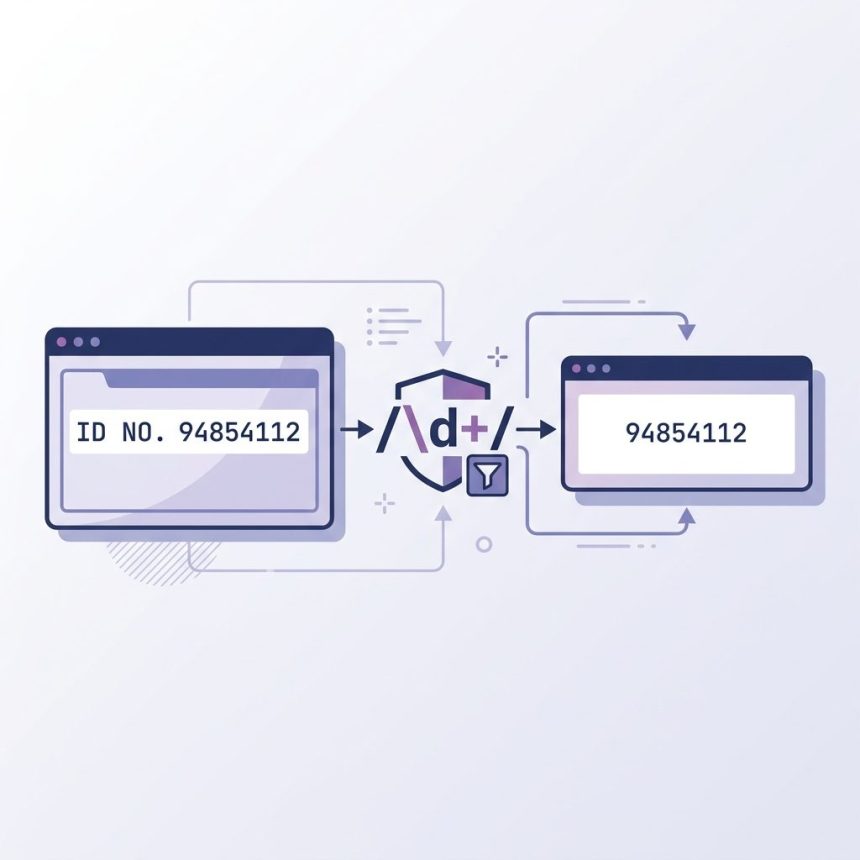
To remove all non-numeric characters from a string in PHP, use preg_replace('/\D/', '', $string) — the same regex as JavaScript’s, applied through PHP’s PCRE engine. The \D shorthand matches any character that isn’t a digit; replacing matches with the empty string leaves only the digits.
Last verified: 2026-05-17 on PHP 8.3. Originally published 2022-07-01, rewritten and updated 2026-05-17.
The one-liner
$string = 'ID NO. 94854112';
echo preg_replace('/\D/', '', $string);
// 94854112
\D matches any single non-digit character. preg_replace walks the entire string and replaces each match with the empty string — no g flag needed because PCRE replaces all matches by default.

Explicit longhand
echo preg_replace('/[^0-9]/', '', $string);
// 94854112
Same result, more explicit. The negated character class [^0-9] reads as “any character that is not a digit 0–9.”
filter_var() — for signed integers
$string = 'Balance: -$1,299';
echo filter_var($string, FILTER_SANITIZE_NUMBER_INT);
// -1299
Keeps digits, +, and -. Drops everything else including spaces, currency, and commas. Useful when you want a sign-aware result without writing a regex.
Keep digits and the decimal point
$price   = 'USD $1,299.95';
$numeric = preg_replace('/[^0-9.]/', '', $price);
// 1299.95

floatval($numeric);   // 1299.95

// Sign + decimal
$balance = '$-1,299.95';
$signed  = preg_replace('/[^0-9.\-]/', '', $balance);
// -1299.95
Use filter_var($price, FILTER_SANITIZE_NUMBER_FLOAT, FILTER_FLAG_ALLOW_FRACTION) as the built-in alternative — it keeps digits, the sign, and one dot. For more control, the regex is more explicit.
Convert to a number
$digits = preg_replace('/\D/', '', 'ID NO. 94854112');

(int)   $digits;      // 94854112
intval($digits, 10);  // 94854112  — always pass the base
floatval($digits);    // 94854112.0
Frequently asked questions
'/\D/' doubled in some examples? The slashes wrap the regex pattern — they’re delimiters, not part of the pattern. '/\D/' is the standard form. Some examples use other delimiters ('#\D#', '~\D~') when the pattern itself contains slashes; you can pick any non-alphanumeric character as the delimiter.
preg_replace() or filter_var()? filter_var($str, FILTER_SANITIZE_NUMBER_INT) keeps digits, +, and - — strict integer cleanup. preg_replace('/\D/', '', $str) drops everything that isn’t a digit (no sign, no decimal). Use filter_var when you want a signed integer; use the regex when you want pure digits.
Allow the dot in the character class: preg_replace('/[^0-9.]/', '', $str). For locale-aware numbers where the decimal might be a comma (e.g. '1,99' in German), include both: '/[^0-9.,]/' and decide which to use as the separator before floatval().
\D match Unicode non-digits in PHP? Only when you add the u flag: preg_replace('/\D/u', '', $str). Without it, \D works in single-byte mode. The Unicode mode matters if your input might contain non-ASCII digits like Arabic numerals (٠-٩) — without u, those are treated as non-digit characters and stripped.
Related guides
- How to Keep Only Numbers in a String with JavaScript
- How to Remove Unwanted Characters from a String in PHP
- How to Get the First Character of a String in PHP
References
PHP preg_replace(): php.net/manual/en/function.preg-replace.php. PHP filter_var(): php.net/manual/en/function.filter-var.php. PCRE syntax: php.net/manual/en/regexp.reference.escape.php.