To check pure-ftpd installed on a Linux server, query the package manager — don’t rely on whether pure-ftpd -v works, because the binary may exist under a different name or in a path your shell doesn’t search. This guide shows the right command for RPM-based distros (AlmaLinux, Rocky, RHEL) and Debian-based ones (Debian, Ubuntu), plus how to tell if the service is actually running.
Last verified: 2026-05-17 on AlmaLinux 9 and Ubuntu 22.04. Originally published 2023-01-05, rewritten and updated 2026-05-17.
TL;DR
# RPM-based (AlmaLinux, Rocky, RHEL, Fedora)
rpm -qa | grep pure-ftpd

# Debian-based (Debian, Ubuntu)
dpkg -l | grep pure-ftpd

# Output: package name + version if installed. Empty if not.
Check on AlmaLinux, Rocky, RHEL, Fedora
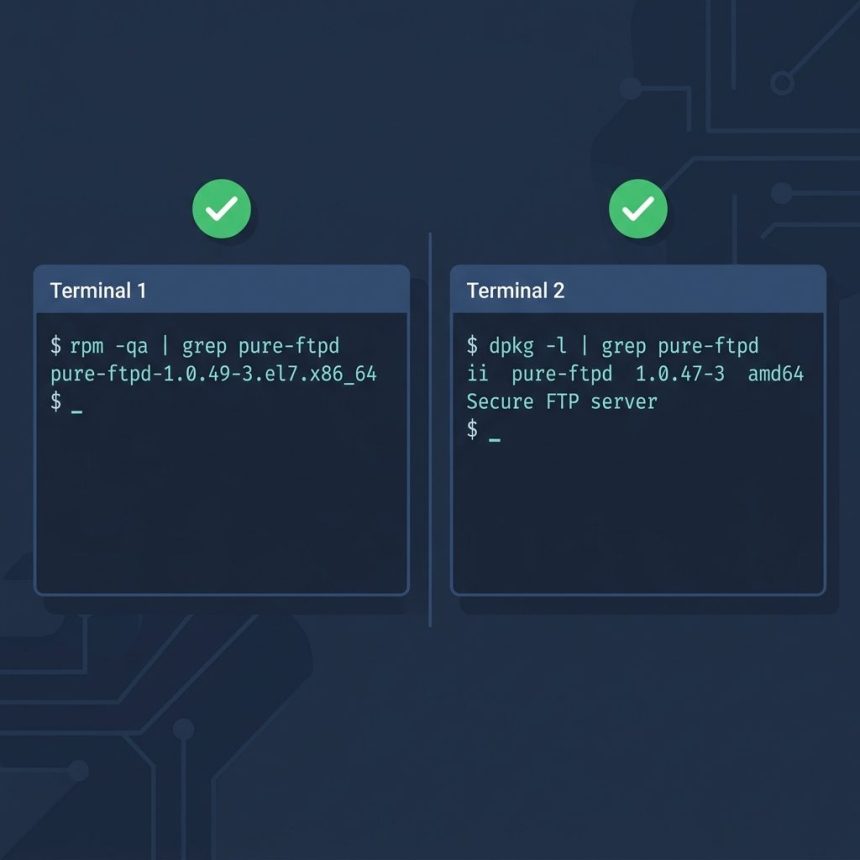
The fastest check is a direct RPM query. It reads the local RPM database, so it works without network access and finishes instantly:
rpm -qa | grep pure-ftpdIf Pure-FTPd is installed, you’ll see a line like pure-ftpd-1.0.49-3.el9.x86_64. If not, the command returns nothing.
The package-manager equivalent works too and adds repository info:
# RHEL 8+/AlmaLinux/Rocky/Fedora
dnf list installed | grep pure-ftpd

# Older (CentOS 7, RHEL 7)
yum list installed | grep pure-ftpd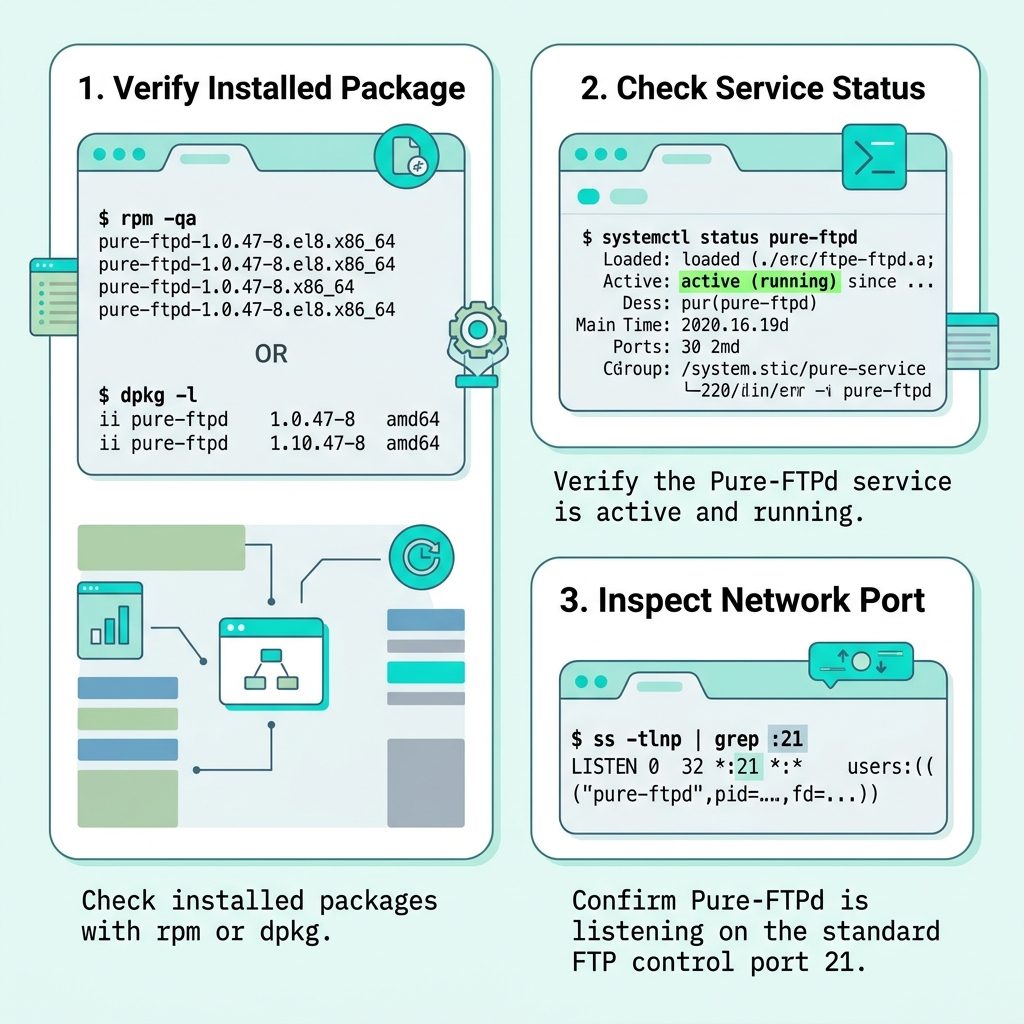
Check on Debian and Ubuntu
dpkg -l | grep pure-ftpdAn installed package shows a line starting with ii (installed) and the package name and version. The Debian family sometimes ships variant packages — pure-ftpd-mysql, pure-ftpd-ldap, pure-ftpd-common — depending on the auth backend you picked at install time. Any of them counts as “Pure-FTPd is installed.”
Is the service actually running?
Installed and running are different. Once you’ve confirmed the package is on disk, check the systemd service:
sudo systemctl status pure-ftpdLook for Active: active (running). If the service exists but is inactive, start it with sudo systemctl start pure-ftpd and enable it on boot with sudo systemctl enable pure-ftpd.
To confirm something is listening on the FTP port (control connection, port 21):
sudo ss -tlnp | grep ':21 'Frequently asked questions
pure-ftpd -v say command not found? Because the Pure-FTPd binary isn’t in your PATH. Either it’s not installed at all, or it’s installed under a different name (pure-ftpd-mysql on some Debian builds) or in a non-PATH location (/usr/sbin instead of /usr/bin). Use the package-manager queries below — they detect installation regardless of PATH or binary name.
rpm -qa and yum list installed? rpm -qa queries the RPM database directly — fast, works offline, just lists what’s installed. yum list installed (or dnf list installed) goes through the package manager, so it can also tell you which repository the package came from. For a yes/no install check, rpm -qa | grep pure-ftpd is enough.
Use dpkg -l | grep pure-ftpd or apt list --installed 2>/dev/null | grep pure-ftpd. On those distros the package is usually named pure-ftpd or pure-ftpd-mysql / pure-ftpd-ldap depending on the auth backend.
Installation and runtime status are different things. systemctl status pure-ftpd tells you whether the service is currently running. systemctl is-enabled pure-ftpd tells you whether it’ll start on boot. ss -tlnp | grep :21 shows whether anything’s actually listening on the FTP port.
On AlmaLinux/Rocky/RHEL: enable EPEL first (sudo dnf install epel-release), then sudo dnf install pure-ftpd. On Debian/Ubuntu: sudo apt install pure-ftpd directly. After install, enable it on boot with sudo systemctl enable --now pure-ftpd.
Related guides
- How to Add a User to Pure-FTPd from the Command Line on Linux
- How to Install Docker on AlmaLinux
- How to Check if the GD Library Is Installed in PHP
References
Pure-FTPd project page: pureftpd.org. RPM query reference: man rpm (look at the -q flag). Debian dpkg reference: man dpkg.