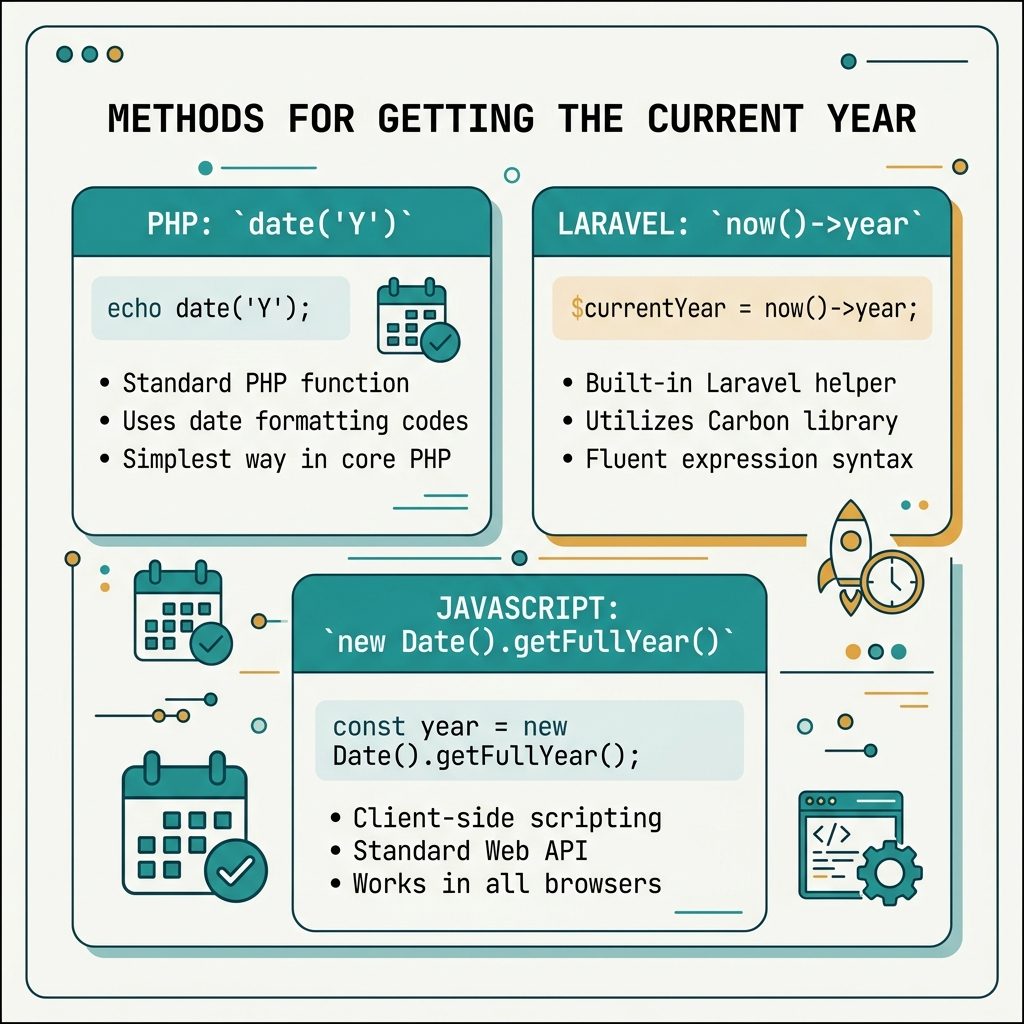
To get the current year in PHP, use date('Y'). It returns the four-digit year as a string. Laravel users can use now()->year (a Carbon shortcut) or the same date('Y'). For a JavaScript-only equivalent, new Date().getFullYear().
Last verified: 2026-05-17 on PHP 8.3 and Laravel 11. Originally published 2022-11-23, rewritten and updated 2026-05-17.
Plain PHP
<?php echo date('Y'); ?>
<!-- 2026 -->
The 'Y' format token is the four-digit year. Other useful tokens: 'y' for two-digit (26), 'o' for the ISO-8601 week-numbering year (matters only across the year boundary in week 1/52).
 Laravel / Blade
{{ now()->year }}
{{-- 2026 --}}

{{-- Or use date() directly --}}
{{ date('Y') }}
now() returns a Carbon instance — same API as Carbon docs describe, including ->month, ->day, and arithmetic like ->subYears(1)->year.
JavaScript (static sites, SPAs)
<span id="year"></span>
<script>document.getElementById('year').textContent = new Date().getFullYear();</script>
This version is safer than document.write, which can rewrite the page if it runs after the DOM is parsed. Set textContent on a placeholder span — works in every browser without surprises.
Auto-updating copyright range
<!-- PHP -->
© <?php echo 2018 . ' – ' . date('Y'); ?> Your Company

<!-- Laravel -->
© {{ 2018 . ' – ' . now()->year }} Your Company

<!-- JavaScript -->
© <span>2018 – <span id="y"></span></span> Your Company
<script>document.getElementById('y').textContent = new Date().getFullYear();</script>
Hardcode the launch year (2018 in the example) and let the end year roll over by itself.
Frequently asked questions
PHP is the right pick when the page is server-rendered (WordPress, Laravel, plain PHP) — the year is in the HTML before it reaches the browser, so search engines and users without JS see it. JavaScript is fine for static sites and SPAs where you don’t have a server to render. The year inside document.write() only renders if JS is enabled, but for a footer copyright the practical difference is invisible to most users.
date('Y') use? PHP uses the timezone set via date_default_timezone_set() or the date.timezone directive in php.ini. For a footer year the timezone almost never matters (the year is the same across most timezones for 364 days), but for anything time-sensitive set the timezone explicitly: date_default_timezone_set('UTC') at the top of the script.
now()->year in Laravel instead of date('Y')? Both work. now()->year returns a Carbon instance and gives you a fluent API if you need to do more with the date (now()->subYears(1)->year for last year, etc.). For just the year, date('Y') is shorter and a hair faster. Pick by codebase convention — if the rest of your project uses Carbon, now()->year fits in.
Hardcode the start year, compute the current year for the end. PHP: <?php echo 2018 . ' – ' . date('Y'); ?>. Laravel: {{ 2018 . ' – ' . now()->year }}. JavaScript: document.write('2018 – ' + new Date().getFullYear()). The start year is the year you launched; the end year ticks forward by itself.
Related guides
- How to Add a Number of Days to a Date in PHP
- How to Format a Number with Leading Zeros in PHP
- How to Display PHP Errors
References
PHP date(): php.net/manual/en/function.date.php. Carbon documentation: carbon.nesbot.com/docs. JavaScript Date.prototype.getFullYear(): developer.mozilla.org/en-US/docs/Web/JavaScript/Reference/Global_Objects/Date/getFullYear.