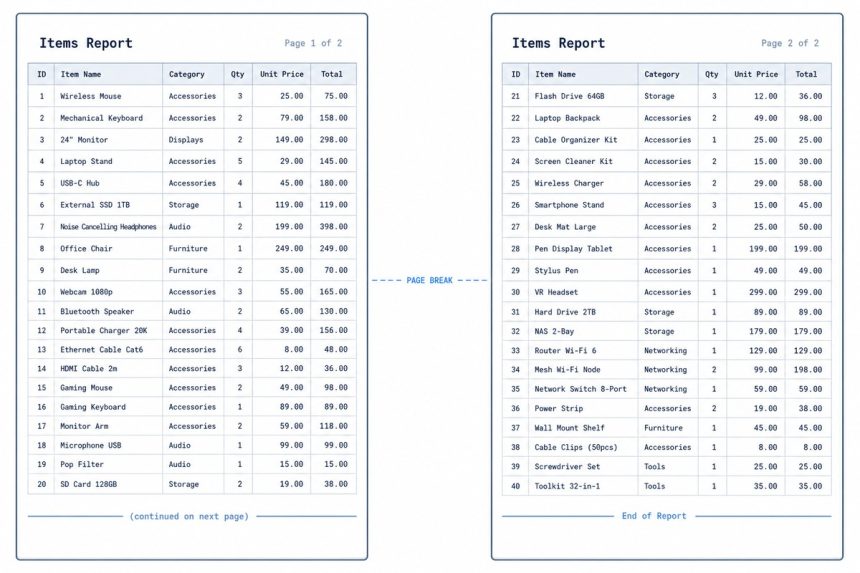
If CSS page-break-after isn’t working on table rows, it’s because the legacy page-break-* properties only apply to block-level elements, and <tr> isn’t one. The modern break-inside: avoid and break-after: page have better table support, but the reliable cross-browser fix is to split long tables into multiple smaller tables separated by block-level page-break dividers.
Last verified: 2026-05-17 in Chrome 124, Firefox 125, Safari 17. Originally published 2022-10-19, rewritten and updated 2026-05-17.
What doesn’t work
tr.page-break {
    page-break-after: always;   /* often ignored on table rows */
}
The legacy page-break-* properties were specified only for block-level elements. <tr> has display: table-row, which doesn’t qualify. Browsers either silently ignore the directive or honor it inconsistently.
Best-effort with modern break-* properties
@media print {
    table {
        break-inside: auto;
    }
    tr {
        break-inside: avoid;     /* don't split a single row across pages */
        break-after:  auto;
    }
    thead {
        display: table-header-group;   /* repeat header on each printed page */
    }
    tfoot {
        display: table-footer-group;   /* repeat footer on each printed page */
    }
}
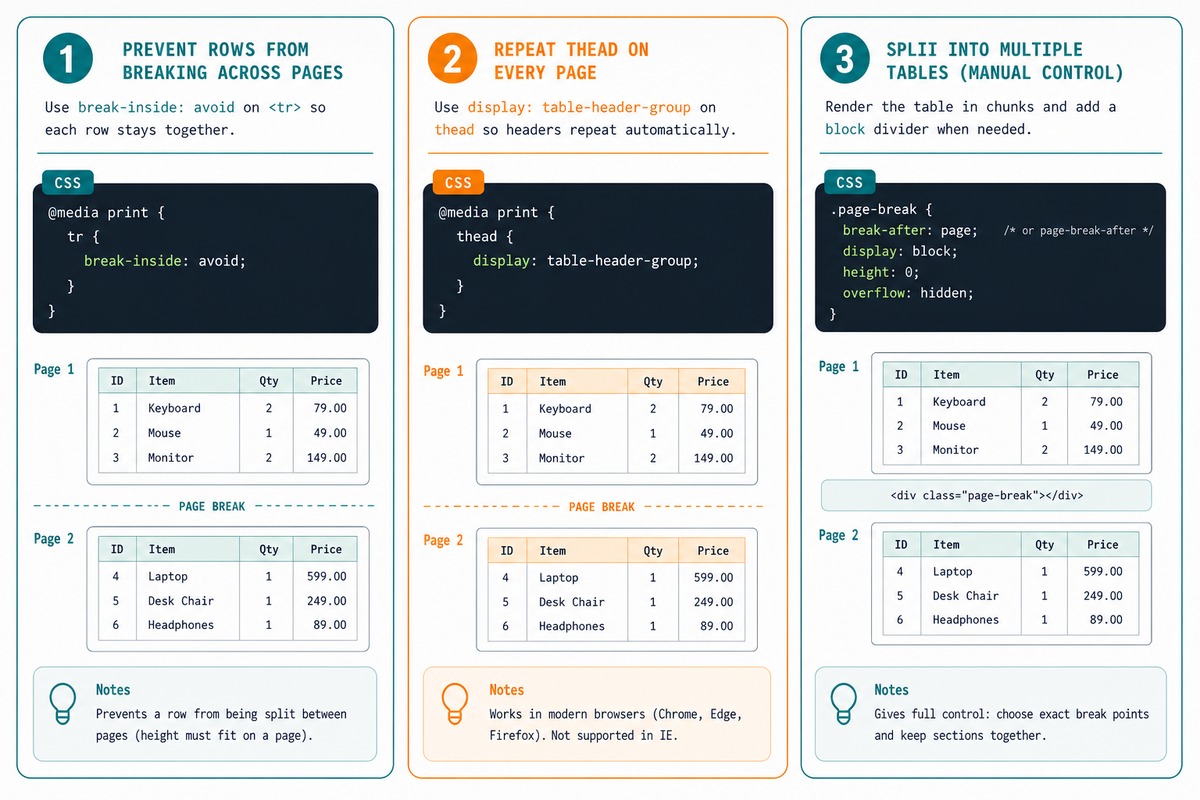
The break-inside: avoid on tr prevents rows from being split mid-row (a row that doesn’t fit moves to the next page entirely). display: table-header-group on thead makes the header repeat on every printed page — a critical UX touch for long tables.
Reliable fix — split the table
<table>
    <thead><tr><th>Col 1</th><th>Col 2</th></tr></thead>
    <tbody>
        <!-- rows 1–20 -->
    </tbody>
</table>

<div class="page-break"></div>

<table>
    <thead><tr><th>Col 1</th><th>Col 2</th></tr></thead>
    <tbody>
        <!-- rows 21–40 -->
    </tbody>
</table>

<style>
@media print {
    .page-break { break-after: page; }
}
</style>
Render the rows in chunks (whatever fits on one page — usually 20–25 rows). Between each chunk, a block-level <div class="page-break"> forces the next chunk onto a fresh page. break-after: page works reliably on block elements.
JavaScript helper to split a table
function splitTableForPrint(table, rowsPerPage = 20) {
    const tbody = table.querySelector('tbody');
    const rows  = Array.from(tbody.children);
    const head  = table.querySelector('thead').innerHTML;

    let html = '';
    for (let i = 0; i < rows.length; i += rowsPerPage) {
        const chunk = rows.slice(i, i + rowsPerPage).map(r => r.outerHTML).join('');
        html += `<table><thead>${head}</thead><tbody>${chunk}</tbody></table>`;
        if (i + rowsPerPage < rows.length) {
            html += '<div style="break-after: page"></div>';
        }
    }
    table.outerHTML = html;
}
Call this from a “Print” button to transform a single long table into chunked tables before the print dialog opens. The repeated <thead> on each chunk gives every page its own header.
Frequently asked questions
page-break-* properties work on <tr>? The CSS spec only defines page-break behavior on block-level elements. Table rows are display: table-row — neither block nor inline. Browsers historically ignored page breaks inside table internals to keep the table structure intact across pages. Modern break-inside: avoid and break-after: page on tr have better support but still aren’t universal.
page-break-* and modern break-* properties? Same effect, newer name. page-break-before/after/inside are the original CSS 2.1 properties. break-before/after/inside (CSS Fragmentation 3) replaces them and supports more contexts (multi-column, regions). Browser support is essentially identical now. For new code use the unprefixed break-* versions; keep the legacy ones if you support very old browsers.
Wrap the table in chunks. Render N rows in one <table>, then a forced <div style="break-after: page"></div>, then render the next N rows in another <table> with a repeated <thead>. The browser can break between block-level <div>s reliably; trying to break inside a single table is the hard case.
Yes — <thead> rows are repeated at the top of each printed page when a table spans multiple pages. Same for <tfoot> at the bottom. This works in every modern browser without extra CSS. You only need to structure your markup with the right semantic tags.
Related guides
References
MDN break-before / break-after / break-inside: developer.mozilla.org/en-US/docs/Web/CSS/break-before. MDN page-break-* (legacy): developer.mozilla.org/en-US/docs/Web/CSS/page-break-after. CSS Fragmentation Module Level 3: w3.org/TR/css-break-3.