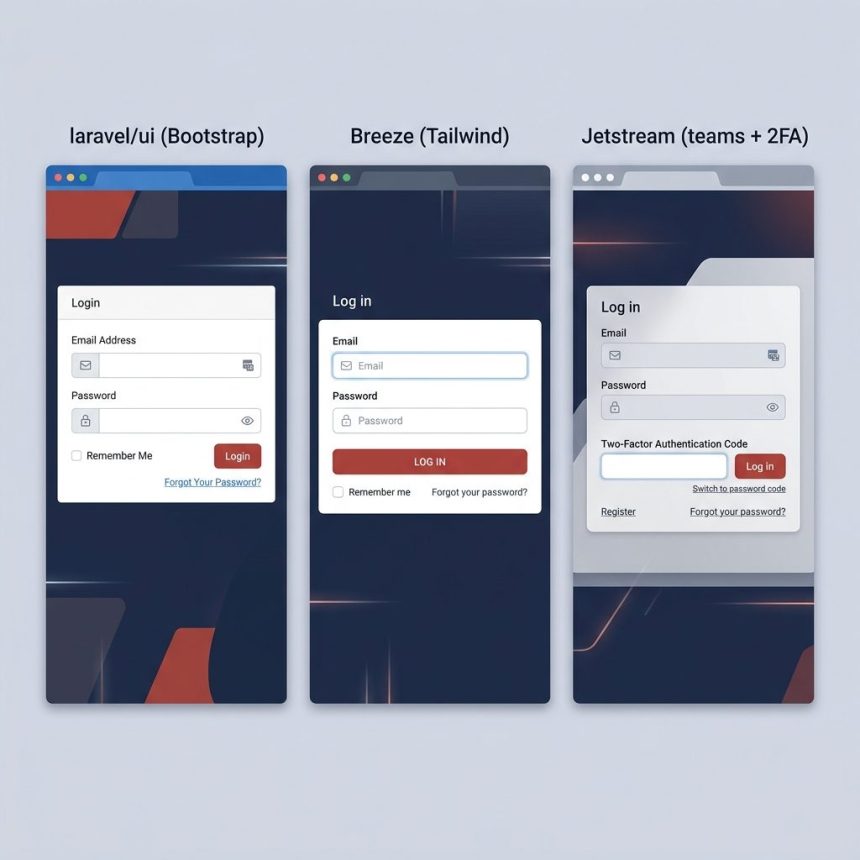
To create a login and registration system in Laravel, install an auth scaffolding package and let it generate the routes, controllers, and views for you. The classic option is laravel/ui (Bootstrap/Vue/React); on modern projects, laravel/breeze (Tailwind, minimal) and laravel/jetstream (Tailwind, feature-rich) are the official starter kits.
Last verified: 2026-05-17 on Laravel 11. Originally published 2022-11-12, rewritten and updated 2026-05-17.
Option 1 — laravel/ui (classic Bootstrap scaffolding)
If you specifically want the Bootstrap or Vue/React scaffold the older Laravel docs taught, laravel/ui is the right pick.
- Install the package with composer:
composer require laravel/ui- Generate the auth scaffold. Pick one flavor:
# Bootstrap views (most common)
php artisan ui bootstrap --auth

# Vue components
php artisan ui vue --auth

# React components
php artisan ui react --auth- Install front-end dependencies and compile assets:
npm install
npm run dev # use npm run build for production- Run the database migrations to create the
userstable:
php artisan migrateYou now have /login, /register, /password/reset, and a protected /home. The generated controllers live in app/Http/Controllers/Auth/ — edit them to customise behavior (extra fields on registration, custom redirect after login, etc.).
Option 2 — Laravel Breeze (modern, minimal)
composer require laravel/breeze --dev
php artisan breeze:install     # interactive — pick Blade, Livewire, or Inertia
php artisan migrate
npm install
npm run dev
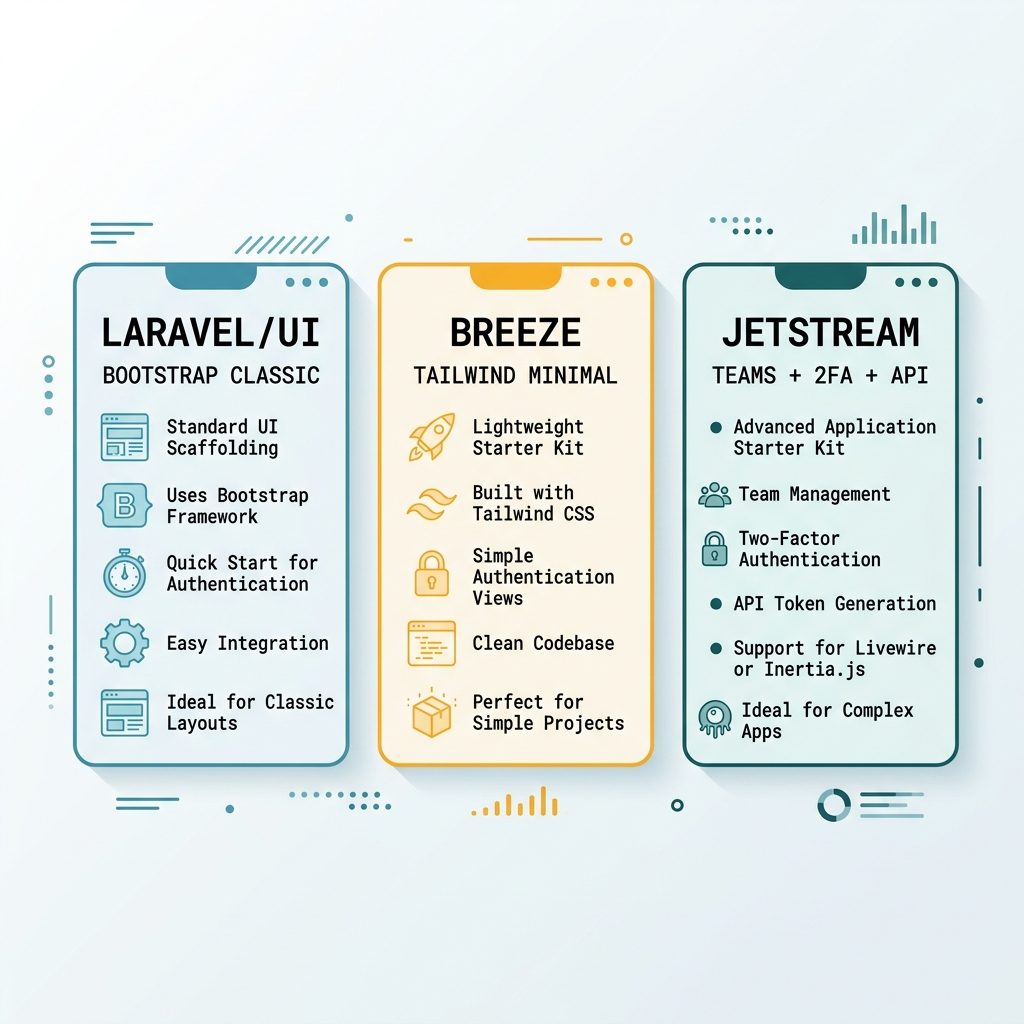
Breeze installs login, registration, password reset, email verification, and a profile page — all on Tailwind. It’s the official “start here” pick for new Laravel apps that don’t need teams or 2FA. The interactive installer asks which front-end you want; the Blade option is the smallest possible scaffold.
Option 3 — Laravel Jetstream (when you need teams, 2FA, API tokens)
composer require laravel/jetstream
php artisan jetstream:install livewire   # or: inertia
php artisan migrate
npm install
npm run dev
Use Jetstream if you’d otherwise spend a sprint building team management, two-factor auth, Sanctum-based API tokens, and account deletion. If you just need login + register, Breeze is lighter.
Which to pick
- Bootstrap project / existing UI in Bootstrap →
laravel/ui. - Fresh project, Tailwind, just login/register → Breeze.
- SaaS-shaped app — teams, 2FA, API → Jetstream.
- You want full control / don’t trust generators → roll your own with
Auth::attempt()against the standarduserstable; the framework’s auth provider does the heavy lifting.
Frequently asked questions
laravel/ui still supported on Laravel 10 / 11? Yes — laravel/ui remains an official, actively maintained package and works on every modern Laravel release. The official docs steer new projects toward Breeze or Jetstream now (they ship Tailwind + modern stacks out of the box), but laravel/ui is the right pick if you specifically want Bootstrap-based scaffolding or Vue/React with the classic blade layout.
Breeze is minimal — Blade + Tailwind + Alpine.js, with Inertia or Livewire options; great for simple apps. Jetstream is feature-rich — adds team support, profile management, 2FA, API tokens; better when you’d otherwise build all of that yourself. laravel/ui is the classic Bootstrap (or Vue/React) scaffold from the Laravel 6/7 era — smaller surface area, but feels dated next to the others.
npm install && npm run dev? The scaffold publishes uncompiled CSS/JS source (Sass, JS imports) into resources/. Until you run Vite (Laravel 9+) or Mix (older Laravel) to compile them, the auth pages render without styling. npm install grabs the build deps; npm run dev compiles. In production, use npm run build instead so assets are hashed and minified.
ui:auth? Yes if you haven’t already. Fresh Laravel installs include the users and password_reset_tokens migrations in database/migrations/ — php artisan migrate creates those tables. If you’ve already migrated, no second run is needed; the auth scaffolding adds controllers and views, not new migrations.
Related guides
References
Laravel authentication: laravel.com/docs/authentication. Laravel Breeze: laravel.com/docs/starter-kits#laravel-breeze. Laravel Jetstream: jetstream.laravel.com. laravel/ui: github.com/laravel/ui.