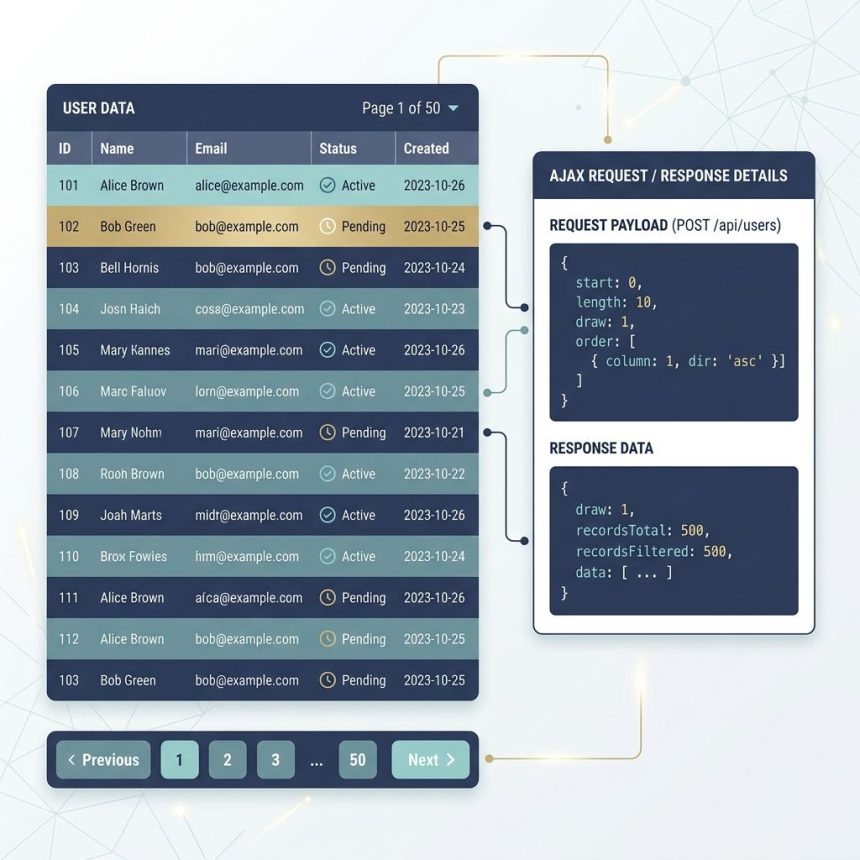
To create Ajax-based pagination in DataTables — where the table loads one page at a time from the server instead of pulling every row — enable serverSide: true alongside your ajax URL. DataTables then sends start, length, search, order, and draw parameters on every interaction, and your endpoint returns just the slice for the current view.
Last verified: 2026-05-17 with DataTables 2.0. Originally published 2022-11-06, rewritten and updated 2026-05-17.
Why the original config doesn’t paginate on the server
$('#example').DataTable({
    ajax: 'ajax-url',
    columns: [
        { data: 'id' },
        { data: 'date' },
        // ...
    ],
});
This config tells DataTables to fetch the entire dataset once, then paginate, sort, and search it client-side. There’s no page parameter in the request because DataTables isn’t asking the server to paginate — it has every row already.
The fix — serverSide: true
$('#example').DataTable({
    serverSide: true,
    processing: true,
    ajax: '/api/example',
    columns: [
        { data: 'id' },
        { data: 'date' },
        { data: 'period' },
        { data: 'component' },
        { data: 'category' },
        { data: 'created_by' },
        { data: 'action' },
    ],
});
With serverSide: true, every page change, sort click, or search keystroke triggers a new Ajax request with these parameters (see the server-side docs):
draw— request counter (must be echoed back)start— row offset (e.g. 0, 10, 20…)length— page size (e.g. 10, 25, 50)search[value]— current search box valueorder[0][column]+order[0][dir]— sort column index + directioncolumns[i][data],columns[i][searchable],columns[i][orderable]— per-column metadata
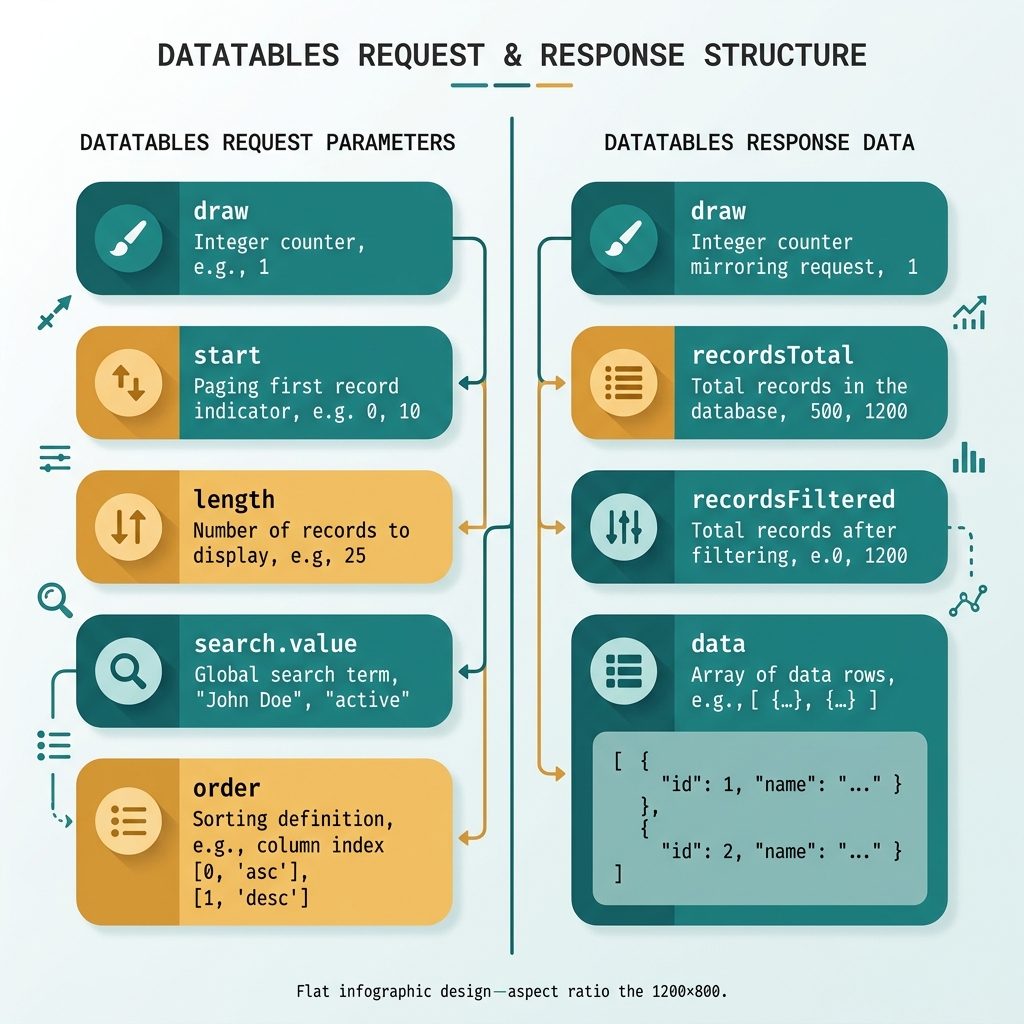
The response shape
{
  "draw": 1,
  "recordsTotal": 1000,
  "recordsFiltered": 1000,
  "data": [
    { "id": 1, "date": "2026-05-17", "period": "Q2", "component": "...",
      "category": "...", "created_by": "...", "action": "Edit" },
    ...
  ]
}draw— the same value the request sent. Required.recordsTotal— total row count before search (used for the “of N total” label).recordsFiltered— row count after the search filter. Same asrecordsTotalwhen no search is active.data— array of rows for the current page (length matches thelengthparam, except on the last page).
Laravel controller example
public function index(Request $request)
{
    $query = Report::query();

    if ($search = $request->input('search.value')) {
        $query->where(function ($q) use ($search) {
            $q->where('component', 'like', "%$search%")
              ->orWhere('category', 'like', "%$search%");
        });
    }

    $columns = ['id', 'date', 'period', 'component', 'category', 'created_by'];
    $orderCol = $columns[$request->input('order.0.column', 0)];
    $orderDir = $request->input('order.0.dir', 'asc');

    $total    = Report::count();
    $filtered = $query->count();

    $rows = $query
        ->orderBy($orderCol, $orderDir)
        ->skip((int) $request->input('start', 0))
        ->take((int) $request->input('length', 10))
        ->get();

    return response()->json([
        'draw'            => (int) $request->input('draw'),
        'recordsTotal'    => $total,
        'recordsFiltered' => $filtered,
        'data'            => $rows,
    ]);
}
Whitelist the orderable columns by index (don’t pass user input straight into orderBy()) and use parameterised where for the search — both like bindings are escaped by Eloquent. For larger datasets, swap skip()/take() for keyset pagination on an indexed column.
Frequently asked questions
ajax and serverSide: true? With just ajax, DataTables fetches every row in one request and then handles pagination, sorting, and search on the client. With serverSide: true, DataTables sends the current page, page size, sort, and search to your endpoint on every interaction, and your endpoint returns just the slice for that view. Use server-side when the dataset is too large to ship all at once (rule of thumb: more than a few thousand rows).
draw parameter for, and why does the response have to include it? draw is a monotonically increasing counter that DataTables sends with each request. Your server must echo it back unchanged in the response. It guarantees responses are rendered in request order even if the network reorders them — an older response with a smaller draw is discarded. Without echoing it, DataTables ignores the response.
Pull them straight from the request: $request->input('start'), $request->input('length'), $request->input('search.value'), $request->input('order.0.column'), $request->input('order.0.dir'), and $request->input('draw'). Apply skip() + take() with Eloquent, use where(...like) for search, then return JSON in the DataTables shape. The dedicated yajra/laravel-datatables package wraps all of this if you want.
Yes but it defeats most of the benefit. If you load every row into memory and slice in PHP, the server still pays the full query cost on every request. The win only comes when you push start/length down to the database with LIMIT/OFFSET (or keyset pagination), and use a single COUNT(*) query for recordsTotal.
Related guides
- How to Change the Default Sort Order in DataTables
- How to Add an HTML Column in Laravel DataTables
- How to Search in Custom or Composite Columns in Laravel DataTables
References
DataTables server-side processing: datatables.net/manual/server-side. serverSide option: datatables.net/reference/option/serverSide. Laravel DataTables package: yajrabox.com/docs/laravel-datatables.