TL;DR: Eloquent is Laravel’s built-in ORM. It lets you work with your database using expressive PHP objects instead of raw SQL: each table gets a model class, each row becomes an object, and inserts, updates, queries, and relationships all read like plain code. This guide walks through defining models, retrieving and filtering records, ordering and aggregates, date queries, relationships and joins, writing and deleting rows, transactions, and the raw-SQL gotchas that bite people in production. Every example is real, runnable Laravel 10/11.
What is Eloquent?
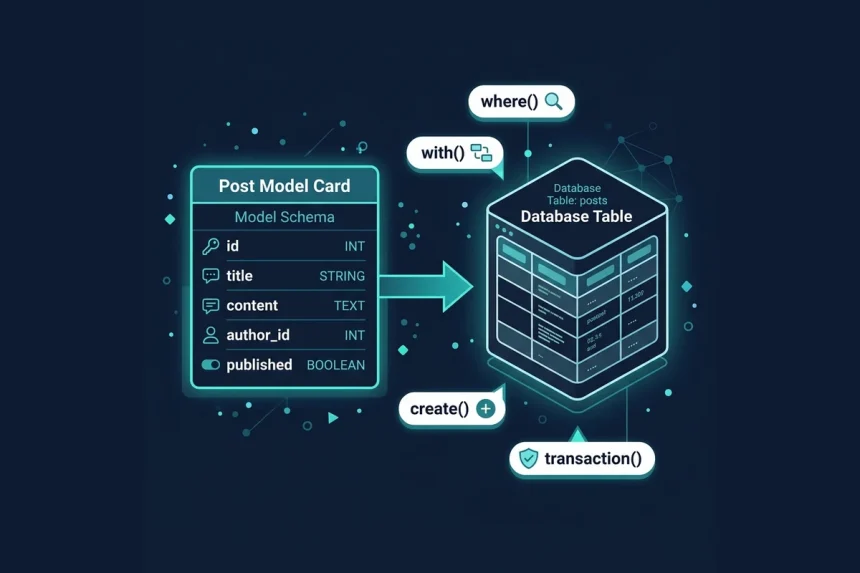
Eloquent is an ActiveRecord ORM. The pattern is simple: every database table maps to a single model class, and an instance of that model represents one row in that table. Create a model with one Artisan command and Laravel infers the table name from the class name (a Post model talks to the posts table).
php artisan make:model Post

// app/Models/Post.php
<?php

namespace App\Models;

use Illuminate\Database\Eloquent\Model;

class Post extends Model
{
    // Eloquent assumes the "posts" table, an "id" primary key,
    // and "created_at" / "updated_at" timestamp columns.
}
That’s enough to start reading and writing rows. Fetching every published post and creating a new one looks like this:
use App\Models\Post;

$posts = Post::where('status', 'published')->get();

$post = Post::create([
    'title' => 'Hello Eloquent',
    'body'  => 'My first row.',
]);
Why reach for this over hand-written SQL or even the query builder? Three reasons. Readability: $user->posts beats a JOIN you have to re-parse every time. Relationships: Eloquent expresses one-to-many, many-to-many, and polymorphic links as methods you can eager-load and chain. And safety: mass assignment protection (via $fillable or $guarded) stops a stray request field from writing a column you never intended. You give up a little raw control, but for the vast majority of application code that trade is worth it.
Everything here assumes a working Laravel application with a configured database connection. If you’re starting from scratch, get Laravel installed first, run your migrations, and then come back. The examples use modern Laravel 10/11 conventions, so an up-to-date install will save you from version mismatches.
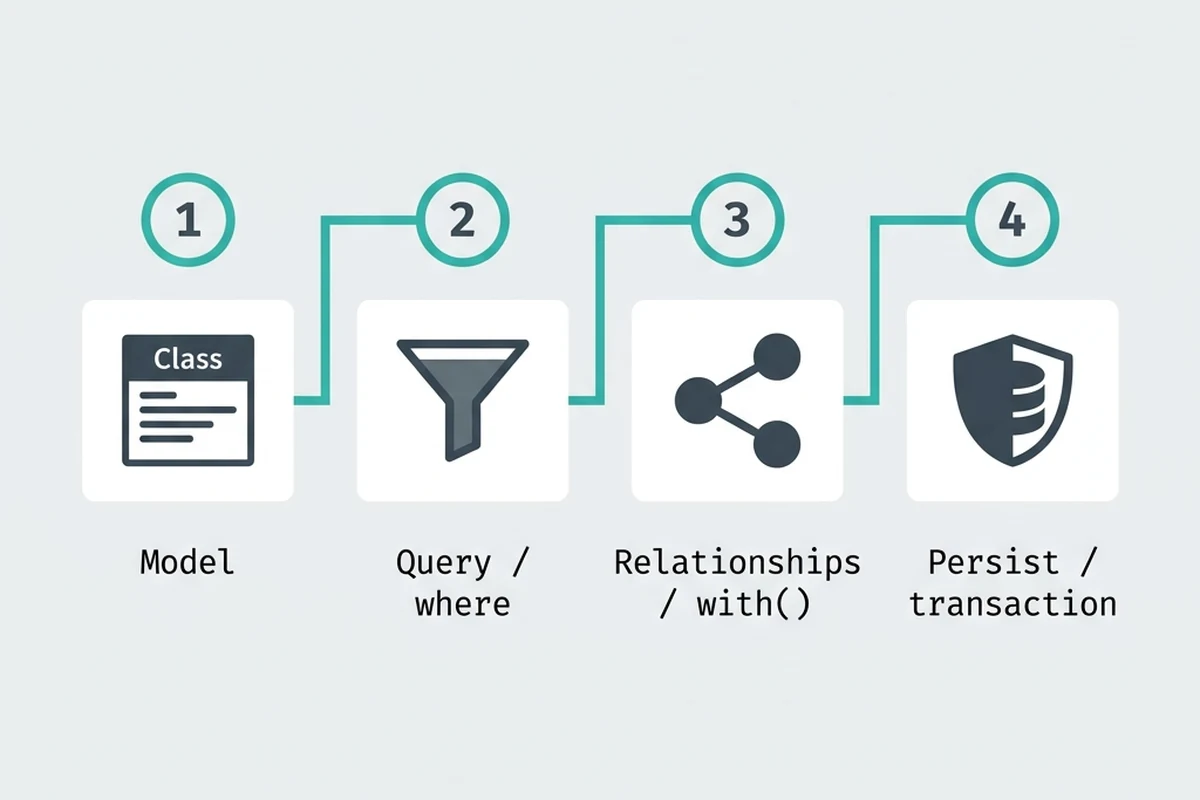
Defining a model and retrieving records
You already met make:model above, but it’s worth seeing what the convention buys you. By default, Eloquent assumes the table is the snake_case plural of the class name, so Post reads from and writes to a posts table. That convention means you usually write zero configuration. When your table doesn’t match — a legacy blog_entries table, for example — point the model at it explicitly:
<?php

namespace App\Models;

use Illuminate\Database\Eloquent\Model;

class Post extends Model
{
    protected $table = 'blog_entries';
}
With the model in place, retrieving records is terse. Post::all() returns every row as a collection of Post instances. To fetch a single record by primary key, use find($id), which returns null when nothing matches, or findOrFail($id), which throws a ModelNotFoundException (Laravel turns that into a 404 automatically in HTTP context). Filtering uses the query builder via where(...)->get(), while first() grabs a single matching row and pluck() pulls just one column as a flat collection.
$posts = Post::all();

$post = Post::find(1);          // null if missing
$post = Post::findOrFail(1);    // throws if missing

$published = Post::where('status', 'published')->get();
$latest    = Post::where('status', 'published')->latest()->first();

$titles = Post::pluck('title');             // collection of strings
$map    = Post::pluck('title', 'id');       // keyed by id
Before you act on a record, it’s often cheaper to check whether a record exists than to pull the full model. The exists() method runs a lightweight SELECT and returns a boolean, so you can branch without hydrating an object you’ll throw away:
if (Post::where('slug', $slug)->exists()) {
    // already taken, pick another slug
}
Filtering results with where
The where() method is how you constrain a query. In its simplest form you pass a column, an operator, and a value. When the operator is = you can drop it entirely and pass just the column and value — Eloquent assumes equality.
// Two arguments: equality is implied
User::where('status', 'active')->get();

// Three arguments: explicit operator
User::where('age', '>=', 18)->get();
User::where('email', 'like', '%@gmail.com')->get();
Chaining multiple where() calls joins them with AND. Every condition must be satisfied for a row to come back.
// WHERE status = 'active' AND age >= 18
User::where('status', 'active')
    ->where('age', '>=', 18)
    ->get();
Use orWhere() when either condition should match. The gotcha here is precedence: SQL evaluates AND before OR, so mixing the two on a flat chain almost never means what you think it means. The query below returns active admins plus every banned user, regardless of role.
// WHERE role = 'admin' AND status = 'active' OR status = 'banned'
User::where('role', 'admin')
    ->where('status', 'active')
    ->orWhere('status', 'banned')
    ->get();
To get the grouping you actually intended, pass a closure to where(). The closure becomes a parenthesized sub-group, so the OR stays contained. This pattern is worth internalizing — see how to combine where() and orWhere() without precedence bugs for the full breakdown.
// WHERE role = 'admin' AND (status = 'active' OR status = 'banned')
User::where('role', 'admin')
    ->where(function ($query) {
        $query->where('status', 'active')
              ->orWhere('status', 'banned');
    })
    ->get();
Eloquent ships dedicated clauses that read better than hand-rolled equivalents. whereIn() matches against a set, whereBetween() covers an inclusive range, and whereNull() (with its counterpart whereNotNull()) checks for missing values.
User::whereIn('id', [1, 2, 3])->get();

Order::whereBetween('total', [100, 500])->get();

User::whereNull('deleted_at')->get();
User::whereNotNull('email_verified_at')->get();
Ordering and limiting
Unsorted query results come back in whatever order the database feels like, which is fine until it isn’t. When order matters, be explicit. The workhorse is orderBy(), which takes a column and a direction (asc by default). You can chain it to sort by multiple columns, and the rules for how to order results with orderBy apply equally to query builder calls and full model queries.
$posts = Post::orderBy('published_at', 'desc')
    ->orderBy('title')
    ->get();
Because “newest first” is so common, Eloquent ships shortcuts. latest() and oldest() sort by created_at by default, descending and ascending respectively. Pass a column name to sort by something else.
// Same as orderBy('created_at', 'desc')
$recent = Post::latest()->get();

// Sort by a different timestamp column
$recent = Post::latest('published_at')->get();
To cap the number of rows, use limit() or its alias take() — they behave identically. Pair ordering with a limit to grab a top-N slice. When you only want the single most-recent row, combine the sort with first() so the database returns one record instead of a hydrated collection you then have to index into.
// Five newest posts
$top = Post::latest()->take(5)->get();

// The single most-recent post (null if none exist)
$newest = Post::latest()->first();
One related gotcha: after you insert a row, the model’s auto-increment primary key is populated on the instance, so reading $post->id after save() or create() gives you the new ID directly — no extra ordered query needed. If you’re working at the raw query-builder level instead, you can retrieve the last inserted ID from the insertGetId() return value.
$post = Post::create(['title' => 'Hello']);
$id = $post->id; // populated automatically

// Query-builder equivalent
$id = DB::table('posts')->insertGetId(['title' => 'Hello']);
Counting and aggregates
Eloquent exposes the standard SQL aggregate functions directly on the query builder, so you rarely need to pull records into PHP just to crunch numbers. Each of these runs a single aggregate query and returns a scalar:
$total   = User::count();
$revenue = Order::where('status', 'paid')->sum('amount');
$average = Product::avg('price');
$highest = Order::max('total');
$lowest  = Order::min('total');
The distinction that trips people up is where the work happens. User::count() issues a SELECT count(*) and the database returns one integer. By contrast, User::all()->count() fetches every row, hydrates a full model for each, and counts the resulting collection in memory. On a table with a few hundred rows you won’t notice; on a million-row table the second form will exhaust memory while the first stays flat. Always prefer to count rows efficiently at the database level rather than counting a loaded collection.
Grouped counts
When you need a breakdown — say, how many orders sit in each status — reach for groupBy() with selectRaw():
$counts = Order::selectRaw('status, count(*) as total')
    ->groupBy('status')
    ->pluck('total', 'status');

// ['paid' => 412, 'pending' => 38, 'refunded' => 9]
If instead you want counts of a relationship per parent record, withCount() is cleaner — it adds a {relation}_count attribute without an N+1 query:
$users = User::withCount('orders')->get();

foreach ($users as $user) {
    echo $user->orders_count;
}
Both approaches let the database do the aggregation in one round trip. Whether you count records grouped by a column with selectRaw() or tally relations with withCount(), the rule holds: aggregate in SQL, not in a hydrated collection.
Querying by date
Date columns are stored as full datetime values, so a naive where('created_at', $date) almost never matches what you expect. Eloquent gives you dedicated date operators that compare only the part you care about, and they pair naturally with Carbon, which every timestamp is already cast to.
The three most common helpers are whereDate, whereMonth, and whereYear. Each strips the timestamp down to the granularity in its name before comparing, so you can match a calendar day without worrying about the time component.
use Illuminate\Support\Carbon;

// Records created today — compares the date part only
$today = Order::whereDate('created_at', Carbon::today())->get();

// Everything from a specific month and year
$marchOrders = Order::whereYear('created_at', 2024)
    ->whereMonth('created_at', 3)
    ->get();
For “today” specifically, Carbon::today() returns midnight of the current day, which is exactly what whereDate wants. There’s a fuller walkthrough of edge cases — including timezone gotchas — in the guide on how to fetch records created today.
The current-month pattern usually wants both the month and the year pinned, otherwise you’d pull in March of every year. Combine whereMonth and whereYear off Carbon::now():
$now = Carbon::now();

$thisMonth = Order::whereMonth('created_at', $now->month)
    ->whereYear('created_at', $now->year)
    ->get();
When you need an explicit range — a billing window, a report between two dates — reach for whereBetween with Carbon boundaries. startOfMonth() and endOfMonth() give you a clean, inclusive span:
$thisMonth = Order::whereBetween('created_at', [
    Carbon::now()->startOfMonth(),
    Carbon::now()->endOfMonth(),
])->get();
The whereBetween form is often the safer choice for month queries because it lets the database use an index on created_at, whereas whereMonth applies a function to the column and can force a full scan on large tables. For a deeper comparison of both approaches, see the dedicated post on how to fetch this month’s records.
Relationships and joins
Most of the time you don’t write joins in Eloquent at all. You define relationships on your models and let Eloquent handle the SQL. A User has many posts, a Post belongs to a user:
class User extends Model
{
    public function posts()
    {
        return $this->hasMany(Post::class);
    }
}

class Post extends Model
{
    public function user()
    {
        return $this->belongsTo(User::class);
    }
}
To avoid the N+1 problem, eager load with with() so the related rows come back in a second query instead of one query per parent:
$users = User::with('posts')->get();

foreach ($users as $user) {
    foreach ($user->posts as $post) {
        echo $post->title;
    }
}
Reach for an actual join when you need to filter or sort parents by a column on the related table, or pull columns from both tables into one flat row. Eloquent inherits the query builder’s join() and leftJoin():
// Only users who have at least one post (inner join)
$rows = User::query()
    ->join('posts', 'posts.user_id', '=', 'users.id')
    ->select('users.name', 'posts.title')
    ->get();
The catch with join() is that it drops any parent with no match. A user who hasn’t posted yet simply disappears from the result. When you need every user counted, including the ones with zero posts, you have to do a left outer join in the query builder instead:
$rows = User::query()
    ->leftJoin('posts', 'posts.user_id', '=', 'users.id')
    ->select('users.name', DB::raw('COUNT(posts.id) as post_count'))
    ->groupBy('users.id', 'users.name')
    ->get();
The leftJoin keeps every row from users even when the matching posts columns come back NULL. That difference is the whole point: use an inner join to intersect two tables, and reach for leftJoin to keep all left-side rows with leftJoin regardless of whether the right side has a match.
Inserting and updating
Eloquent gives you a few ways to write rows, and which one you reach for depends on whether you already have a model instance and whether the data is coming from user input. The cleanest insert is create(), which builds a model and persists it in one call. It uses mass assignment, so the model must declare which columns are writable in bulk via $fillable (or the inverse, $guarded). Without that, Eloquent throws a MassAssignmentException to stop request data from setting columns you never intended.
class Post extends Model
{
    protected $fillable = ['title', 'body', 'user_id'];
}

$post = Post::create([
    'title'   => 'Eloquent inserts',
    'body'    => '...',
    'user_id' => $user->id,
]);
If you’d rather set attributes individually, instantiate the model and call save(). This path ignores $fillable entirely, so it’s handy for values that don’t come from a request.
$post = new Post;
$post->title = 'Set one by one';
$post->body  = '...';
$post->save();
Both create() and save() hydrate the model with the database-assigned primary key after the insert, so you can read the new record id immediately as $post->id — no extra query needed.
To update existing rows, you have two options. Call save() on a model you’ve already fetched and modified, or run update() on a query to change many rows at once. The query form fires a single UPDATE and does not load models or fire model events.
// Single, loaded model
$post->update(['title' => 'New title']);

// Bulk update via query builder
Post::where('user_id', $user->id)
    ->where('published', false)
    ->update(['published' => true]);
For the common “insert if missing” pattern, firstOrCreate() looks up a row by the first array of attributes and creates it (merging the second array) only when nothing matches. Its sibling, updateOrCreate(), lets you update or create a row in one call — it finds the row by the first array and either applies the second array as an update or inserts a fresh record.
$tag = Tag::firstOrCreate(
    ['slug' => 'eloquent'],
    ['name' => 'Eloquent']
);

$setting = Setting::updateOrCreate(
    ['user_id' => $user->id, 'key' => 'theme'],
    ['value' => 'dark']
);
Both return a saved model instance, so the primary key is populated either way. Reach for firstOrCreate() when you only care that the row exists, and updateOrCreate() when you want the matched row’s data refreshed every time.
Deleting records
There are four ways to delete a record in Eloquent, and which one you reach for depends on whether you already have the model in memory and how many rows you’re removing.
If you’ve already retrieved the model, call delete() on the instance. This fires the deleting and deleted model events, so any observers or booted trait hooks run.
<?php

$post = Post::find(1);
$post->delete();
When you only have the primary keys, skip the fetch and use destroy(). It accepts a single id, multiple arguments, or an array, and still loads each model so events fire.
<?php

Post::destroy(1);
Post::destroy(1, 2, 3);
Post::destroy([1, 2, 3]);
To wipe a whole set of rows in one query, chain delete() onto a builder. This is a single SQL DELETE — it does not load models and does not fire model events, so use it when you want speed over hooks.
<?php

Post::where('status', 'draft')
    ->where('created_at', '<', now()->subYear())
    ->delete();
Soft deletes
Often you don’t want rows gone for good. Add the SoftDeletes trait and a nullable deleted_at column, and delete() just stamps that column instead of running a real DELETE. Soft-deleted rows are excluded from queries automatically.
<?php

use Illuminate\Database\Eloquent\Model;
use Illuminate\Database\Eloquent\SoftDeletes;

class Post extends Model
{
    use SoftDeletes;
}

// migration
$table->softDeletes();

// querying
Post::withTrashed()->get();      // include soft-deleted
Post::onlyTrashed()->get();      // only soft-deleted
$post->restore();                // undo the soft delete
$post->forceDelete();            // permanently remove
One thing to watch: when you delete a parent record, child rows don’t disappear on their own. You can wire up cascade deletes to related rows either at the database level with onDelete('cascade') on the foreign key, or in PHP by hooking the deleting event to remove the relations. The database-level approach is faster but bypasses Eloquent events on the children, so reach for the model-event approach when those children also use soft deletes or have their own observers.
Transactions and raw SQL
When a single logical operation touches more than one row, you want all of those writes to succeed together or none of them to land at all. That is what DB::transaction() gives you: pass a closure, and Eloquent commits when it returns cleanly or rolls everything back if anything inside throws. The classic case is transferring money between two accounts, or creating an order plus its line items, where a half-finished write leaves your data corrupt.
use Illuminate\Support\Facades\DB;

DB::transaction(function () use ($from, $to, $amount) {
    $from->decrement('balance', $amount);
    $to->increment('balance', $amount);

    Transfer::create([
        'from_id' => $from->id,
        'to_id'   => $to->id,
        'amount'  => $amount,
    ]);
});
Any exception inside the closure triggers an automatic rollback, so you never need to wire up try/catch just to undo partial work. Reach for this whenever you wrap multiple writes in a transaction that must stay consistent. Keep the closure short — long-running transactions hold locks and hurt concurrency.
Eloquent and the query builder cover most needs, but sometimes you need an expression the builder can’t model: a computed column, a database function, or an aggregate. Drop to DB::raw() or selectRaw() for that, and use bindings instead of string interpolation to stay safe from injection.
$users = User::query()
    ->selectRaw('id, CONCAT(first_name, " ", last_name) AS full_name')
    ->whereRaw('created_at >= ?', [now()->subDays(30)])
    ->get();
Raw SQL also lets you set a MySQL variable inside a query — handy for row-numbering tricks, as long as you run the assignment and the select on the same connection so the session variable persists. One footgun catches everyone the first time: if you reference a column inside a CONCAT() or other raw fragment and the grammar quotes it as a literal, MySQL throws Unknown column. Knowing how to fix the “Unknown column” error in raw expressions usually comes down to passing the column unquoted in DB::raw() rather than as a bound value.
Wrapping up
Eloquent’s strength is that the common path — define a model, query it, relate it, persist it — stays short and readable, while the escape hatches (joins, DB::raw(), transactions) are right there when you need them. The recurring theme across every section is the same: let the database do the work it’s good at. Filter, count, aggregate, and sort in SQL rather than hydrating collections and looping in PHP, lean on relationships and eager loading to dodge N+1 queries, and wrap multi-row writes in a transaction so a partial failure can’t corrupt your data. Get those habits right and Eloquent scales with your app instead of fighting it. Bookmark the linked deep-dives above for the day a specific query or gotcha lands on your desk.
Frequently asked questions
The query builder (DB::table(…)) returns plain stdClass rows or arrays and is a thin, fast wrapper over SQL. Eloquent sits on top of it and returns model objects, giving you relationships, accessors, casts, events, mass-assignment protection, and soft deletes. Use Eloquent for application logic where those features pay off, and drop to the query builder for bulk operations or reporting queries where you don’t need hydrated models.
Eloquent blocks mass assignment by default so a stray request field can’t write a column you never intended. The fix is to list the columns you allow in bulk in the model’s $fillable array (or use $guarded for the inverse). Only add the columns that are genuinely safe to set from user input — never put a column like is_admin in $fillable.
If you loop over a collection and access a relationship inside the loop, Eloquent runs one extra query per parent row — 1 query for the parents plus N for the children. Eager loading with with(‘relation’) collapses those N child queries into a single second query that fetches all related rows at once. Add the relation name to with() (or withCount() when you only need a tally) and the loop runs flat.
get() returns a collection of all matching rows, even if that’s zero or one. first() returns a single model (the first match) or null when nothing matches. Use first() whenever you expect or want one record so the database returns one row instead of a collection you’d then have to index into; use find($id) when you’re looking up by primary key.
Add the SoftDeletes trait to the model and a nullable deleted_at column via $table->softDeletes() in the migration. After that, calling delete() stamps deleted_at instead of removing the row, and soft-deleted rows are automatically excluded from normal queries. Use withTrashed() to include them, onlyTrashed() to fetch just the deleted ones, restore() to undo, and forceDelete() to remove a row permanently.
where() filters individual rows before any grouping happens and maps to the SQL WHERE clause. having() filters on aggregated values after a groupBy(), so it’s where you put conditions like having(‘total’, ‘>’, 100) on a count or sum. As a rule: filter raw columns with where(), and filter the result of an aggregate with having().